mirror of
https://github.com/budtmo/docker-android.git
synced 2026-07-31 04:07:25 +00:00
Compare commits
| Author | SHA1 | Date | |
|---|---|---|---|
 budtmo budtmo
|
3574b9825b | ||
|
budtmo
|
d34d635114 | ||
|
Budi UtomoandGitHub
|
43d38adf76 | ||
|
Budi UtomoandGitHub
|
a2d3c05a1c | ||
|
Budi UtomoandGitHub
|
a4c7919209 | ||
|
Budi UtomoandGitHub
|
2e59c45142 | ||
|
fossabot
|
664ad07905 | ||
|
Budi UtomoandGitHub
|
4b7de9d645 | ||
|
nonVoidandGitHub
|
5d1cf8e671 | ||
|
Felix Weber
|
9441d537b7 | ||
|
Budi UtomoandGitHub
|
a40acea0ba | ||
|
Felix Weber
|
54811c0c81 | ||
|
budtmo
|
893abf99e4 | ||
|
budtmo
|
14b6091277 | ||
|
budtmo
|
5acbce6654 | ||
|
butomo1989
|
1c844033f6 | ||
|
butomo1989
|
83ba9bb79e | ||
|
Budi UtomoandGitHub
|
712d3485ad | ||
|
Nicholas FrederickandGitHub
|
04512a0d16 | ||
|
butomo1989
|
cf0ebd7eb9 | ||
|
butomo1989
|
32cb68f6c9 | ||
|
Budi UtomoandGitHub
|
98b0b3a140 | ||
|
Tadashi NemotoandGitHub
|
2c9c421c35 | ||
|
tadashi0713
|
afea49a2c8 | ||
|
butomo1989
|
442a10afd2 | ||
|
butomo1989
|
478e0d0e51 | ||
|
butomo1989
|
17d09eb835 | ||
|
butomo1989
|
09c3fbe765 | ||
|
butomo1989
|
b285d8a1da | ||
|
Budi UtomoandGitHub
|
46d3a4f8c1 | ||
|
butomo1989
|
033be6d7c4 | ||
|
butomo1989
|
84ed95aac1 | ||
|
butomo1989
|
c298cc7ae1 | ||
|
Budi UtomoandGitHub
|
0ab0eaffcf | ||
|
butomo1989
|
0e00cffe4d | ||
|
butomo1989
|
3dc73b4573 | ||
|
Budi UtomoandGitHub
|
711cbfef72 | ||
|
butomo1989
|
67a0935fc5 | ||
|
butomo1989
|
55012f9ac0 | ||
|
butomo1989
|
2e379769e9 | ||
|
butomo1989
|
2ffb3a0c3d |
+2
-2
@@ -9,7 +9,7 @@ Docker-Android's analytics record some shared information for every event:
|
||||
|
||||
- The Google Analytics version i.e. `1` (https://developers.google.com/analytics/devguides/collection/protocol/v1/parameters#v)
|
||||
- The Google Analytics anonymous IP setting is enabled i.e. `1` (https://developers.google.com/analytics/devguides/collection/protocol/v1/parameters#aip)
|
||||
- The Docker-Android analytics tracking ID e.g. `UA-128205228-1` (https://developers.google.com/analytics/devguides/collection/protocol/v1/parameters#tid)
|
||||
- The Docker-Android analytics tracking ID e.g. `UA-133466903-1` (https://developers.google.com/analytics/devguides/collection/protocol/v1/parameters#tid)
|
||||
- The release version of machine, e.g. `Linux_version_4.4.16-boot2docker_(gcc_version_4.9.2_(Debian_4.9.2-10)_)_#1_SMP_Fri_Jul_29_00:13:24_UTC_2016` This does not allow us to track individual users but does enable us to accurately measure user counts vs. event counts (https://developers.google.com/analytics/devguides/collection/protocol/v1/parameters#cid)
|
||||
- Docker-Android analytics hit type, e.g. `event` (https://developers.google.com/analytics/devguides/collection/protocol/v1/parameters#t)
|
||||
- Application type, e.g. `Emulator` (https://developers.google.com/analytics/devguides/collection/protocol/v1/parameters#ec)
|
||||
@@ -28,7 +28,7 @@ Docker-Android's analytics are sent throughout Docker-Android's execution to Goo
|
||||
Docker-Android's analytics are accessible to Docker-Android's current maintainers. Contact [@butomo1989](https://github.com/butomo1989) if you are a maintainer and need access.
|
||||
|
||||
## How?
|
||||
The code is viewable in [this lines](./src/appium.sh#L203-L225).
|
||||
The code is viewable in [this lines](./src/appium.sh#L225-L247).
|
||||
|
||||
## Opting out before starting Docker-Android
|
||||
Docker-Android analytics helps us, maintainers and leaving it on is appreciated. However, if you want to opt out and not send any information, you can do this by using passing environment variable GA=false to the Docker container.
|
||||
|
||||
+1
-1
@@ -12,7 +12,7 @@ Unless required by applicable law or agreed to in writing, software distributed
|
||||
|
||||
|
||||
## Forks
|
||||
Additionally to Apache-2.0, when you fork this repo you are required to either remove our Google Analytics tracking ID: UA-128205228-1 or stop usage gathering completely.
|
||||
Additionally to Apache-2.0, when you fork this repo you are required to either remove our Google Analytics tracking ID: UA-133466903-1 or stop usage gathering completely.
|
||||
|
||||
## Data processing agreement
|
||||
By using this software you agree that the following non-PII (non personally identifiable information) data will be collected, processed and used by the maintainers for the purpose of improving the docker-android project. Anonymisation with respect of the IP address means that only the first two octets of the IP address are collected.
|
||||
|
||||
+1
-1
@@ -1 +1 @@
|
||||
Budi Utomo <budi.ut.1989@gmail.com>
|
||||
Budi Utomo <budtmo.os@gmail.com>
|
||||
|
||||
@@ -2,18 +2,17 @@
|
||||
<img id="header" src="./images/logo_dockerandroid_small.png" />
|
||||
</p>
|
||||
|
||||
[](https://github.com/igrigorik/ga-beacon "Analytics")
|
||||
[](https://github.com/igrigorik/ga-beacon "Analytics")
|
||||
[](https://gitter.im/butomo1989/docker-android?utm_source=badge&utm_medium=badge&utm_campaign=pr-badge&utm_content=badge)
|
||||
[](https://travis-ci.org/butomo1989/docker-android)
|
||||
[](https://codecov.io/gh/butomo1989/docker-android)
|
||||
[](https://travis-ci.org/budtmo/docker-android)
|
||||
[](https://codecov.io/gh/budtmo/docker-android)
|
||||
[](https://www.codacy.com/app/butomo1989/docker-appium?utm_source=github.com&utm_medium=referral&utm_content=butomo1989/docker-appium&utm_campaign=Badge_Grade)
|
||||
[](https://github.com/budtmo/docker-android/releases)
|
||||
[](https://app.fossa.io/projects/git%2Bgithub.com%2Fbudtmo%2Fdocker-android?ref=badge_shield)
|
||||
[](http://makeapullrequest.com)
|
||||
|
||||
Docker-Android is a docker image built to be used for everything related to mobile website testing and Android project.
|
||||
|
||||
<p align="center">
|
||||
<a href="https://youtu.be/pQdpjuYwvp8"><img src="./images/appiumconf2018.png" alt="Appium Conference 2018" width="600"></a>
|
||||
</p>
|
||||
|
||||
Emulator - Samsung Device | Emulator - Nexus Device | Real Device
|
||||
:---------------------------:|:---------------------------:|:---------------------------:
|
||||
![][emulator samsung] |![][emulator nexus] |![][real device]
|
||||
@@ -44,16 +43,16 @@ List of Docker images
|
||||
|
||||
|OS |Android |API |Browser |Browser version |Chromedriver |Image |Size |
|
||||
|:---|:---|:---|:---|:---|:---|:---|:---|
|
||||
|Linux|5.0.1|21|browser|37.0|2.21|butomo1989/docker-android-x86-5.0.1|[](https://microbadger.com/images/butomo1989/docker-android-x86-5.0.1 "Get your own image badge on microbadger.com")|
|
||||
|Linux|5.1.1|22|browser|39.0|2.13|butomo1989/docker-android-x86-5.1.1|[](https://microbadger.com/images/butomo1989/docker-android-x86-5.1.1 "Get your own image badge on microbadger.com")|
|
||||
|Linux|6.0|23|browser|44.0|2.18|butomo1989/docker-android-x86-6.0|[](https://microbadger.com/images/butomo1989/docker-android-x86-6.0 "Get your own image badge on microbadger.com")|
|
||||
|Linux|7.0|24|chrome|51.0|2.23|butomo1989/docker-android-x86-7.0|[](https://microbadger.com/images/butomo1989/docker-android-x86-7.0 "Get your own image badge on microbadger.com")|
|
||||
|Linux|7.1.1|25|chrome|55.0|2.28|butomo1989/docker-android-x86-7.1.1|[](https://microbadger.com/images/butomo1989/docker-android-x86-7.1.1 "Get your own image badge on microbadger.com")|
|
||||
|Linux|8.0|26|chrome|58.0|2.31|butomo1989/docker-android-x86-8.0|[](https://microbadger.com/images/butomo1989/docker-android-x86-8.0 "Get your own image badge on microbadger.com")|
|
||||
|Linux|8.1|27|chrome|61.0|2.33|butomo1989/docker-android-x86-8.1|[](https://microbadger.com/images/butomo1989/docker-android-x86-8.1 "Get your own image badge on microbadger.com")|
|
||||
|Linux|9.0|28|chrome|66.0|2.40|butomo1989/docker-android-x86-9.0|[](https://microbadger.com/images/butomo1989/docker-android-x86-9.0 "Get your own image badge on microbadger.com")|
|
||||
|All |-|-|-|-|-|butomo1989/docker-android-real-device|[](https://microbadger.com/images/butomo1989/docker-android-real-device "Get your own image badge on microbadger.com")|
|
||||
|Linux|All|All|All|All|All|butomo1989/docker-android-genymotion|[](https://microbadger.com/images/butomo1989/docker-android-genymotion "Get your own image badge on microbadger.com")|
|
||||
|Linux|5.0.1|21|browser|37.0|2.21|budtmo/docker-android-x86-5.0.1|[](https://microbadger.com/images/budtmo/docker-android-x86-5.0.1 "Get your own image badge on microbadger.com")|
|
||||
|Linux|5.1.1|22|browser|39.0|2.13|budtmo/docker-android-x86-5.1.1|[](https://microbadger.com/images/budtmo/docker-android-x86-5.1.1 "Get your own image badge on microbadger.com")|
|
||||
|Linux|6.0|23|browser|44.0|2.18|budtmo/docker-android-x86-6.0|[](https://microbadger.com/images/budtmo/docker-android-x86-6.0 "Get your own image badge on microbadger.com")|
|
||||
|Linux|7.0|24|chrome|51.0|2.23|budtmo/docker-android-x86-7.0|[](https://microbadger.com/images/budtmo/docker-android-x86-7.0 "Get your own image badge on microbadger.com")|
|
||||
|Linux|7.1.1|25|chrome|55.0|2.28|budtmo/docker-android-x86-7.1.1|[](https://microbadger.com/images/budtmo/docker-android-x86-7.1.1 "Get your own image badge on microbadger.com")|
|
||||
|Linux|8.0|26|chrome|58.0|2.31|budtmo/docker-android-x86-8.0|[](https://microbadger.com/images/budtmo/docker-android-x86-8.0 "Get your own image badge on microbadger.com")|
|
||||
|Linux|8.1|27|chrome|61.0|2.33|budtmo/docker-android-x86-8.1|[](https://microbadger.com/images/budtmo/docker-android-x86-8.1 "Get your own image badge on microbadger.com")|
|
||||
|Linux|9.0|28|chrome|66.0|2.40|budtmo/docker-android-x86-9.0|[](https://microbadger.com/images/budtmo/docker-android-x86-9.0 "Get your own image badge on microbadger.com")|
|
||||
|All |-|-|-|-|-|budtmo/docker-android-real-device|[](https://microbadger.com/images/budtmo/docker-android-real-device "Get your own image badge on microbadger.com")|
|
||||
|Linux|All|All|All|All|All|budtmo/docker-android-genymotion|[](https://microbadger.com/images/budtmo/docker-android-genymotion "Get your own image badge on microbadger.com")|
|
||||
|
||||
List of Devices
|
||||
---------------
|
||||
@@ -80,7 +79,7 @@ Quick Start
|
||||
- For ***Linux OS***, please use image name that contains "x86"
|
||||
|
||||
```bash
|
||||
docker run --privileged -d -p 6080:6080 -p 5554:5554 -p 5555:5555 -e DEVICE="Samsung Galaxy S6" --name android-container butomo1989/docker-android-x86-8.1
|
||||
docker run --privileged -d -p 6080:6080 -p 5554:5554 -p 5555:5555 -e DEVICE="Samsung Galaxy S6" --name android-container budtmo/docker-android-x86-8.1
|
||||
```
|
||||
|
||||
- For ***OSX*** and ***Windows OS***, please use Virtual Machine that support Virtualization with Ubuntu OS
|
||||
@@ -117,8 +116,35 @@ Docker-Android can be used for building Android project and executing its unit t
|
||||
2. Build the project
|
||||
|
||||
```bash
|
||||
docker run -it --rm -v $PWD/android-testing/ui/espresso/BasicSample:/root/tmp butomo1989/docker-android-x86-8.1 tmp/gradlew build
|
||||
docker run -it --rm -v $PWD/android-testing/ui/espresso/BasicSample:/root/tmp budtmo/docker-android-x86-8.1 tmp/gradlew build
|
||||
```
|
||||
|
||||
Control Android connected to host (Emulator or Real Device)
|
||||
-----------------------------------------------------------
|
||||
1. Create a docker container with this command
|
||||
|
||||
```
|
||||
$ docker run --privileged -d -p 6080:6080 -p 5554:5554 -p 5555:5555 -p 4723:4723 --name android-container-appium budtmo/docker-android-real-device
|
||||
```
|
||||
|
||||
2. Open noVNC [http://localhost:6080](http://localhost:6080)
|
||||
|
||||
3. Open terminal by clicking right on **noVNC** window >> **Terminal emulator**
|
||||
|
||||
4. To connect to host's adb (make sure your host have adb and connected to the device.)
|
||||
|
||||
```
|
||||
$ adb -H host.docker.internal devices
|
||||
```
|
||||
|
||||
To specify port, just add `-P port_number`
|
||||
|
||||
```
|
||||
$ adb -H host.docker.internal -P 5037 devices
|
||||
```
|
||||
|
||||
5. Now your container can access your host devices. But, you need to add `remoteAdbHost` and `adbPort` desired capabilities to make **Appium** can recognise those devices.
|
||||
|
||||
|
||||
Appium and Selenium Grid
|
||||
------------------------
|
||||
@@ -192,9 +218,11 @@ This [document](README_CLOUD.md) contains information about deploying Docker-And
|
||||
Genymotion
|
||||
----------
|
||||
|
||||

|
||||
<p align="center">
|
||||
<img id="geny" src="./images/logo_genymotion_and_dockerandroid.png" />
|
||||
</p>
|
||||
|
||||
For you who do not have ressources to maintain the simulator or to buy machines or need different device profiles, you need to give a try to [Genymotion Cloud](https://www.genymotion.com/cloud/). Docker-Android is integrated with Genymotion on different cloud services, e.g. Genymotion Cloud, AWS, GCP, Alibaba Cloud. Please follow [this document](README_GENYMOTION.md) for more detail.
|
||||
For you who do not have ressources to maintain the simulator or to buy machines or need different device profiles, you need to give a try to [Genymotion Cloud](https://www.genymotion.com/cloud/). Docker-Android is integrated with Genymotion on different cloud services, e.g. Genymotion Cloud, AWS, GCP, Alibaba Cloud. Please follow [this document](README_GENYMOTION.md) or [this blog](https://medium.com/genymobile/run-your-appium-tests-using-docker-android-genymotion-cloud-e4817132ccd8) for more detail.
|
||||
|
||||
Troubleshooting
|
||||
---------------
|
||||
@@ -212,6 +240,8 @@ LICENSE
|
||||
--------------
|
||||
See [License](LICENSE.md)
|
||||
|
||||
[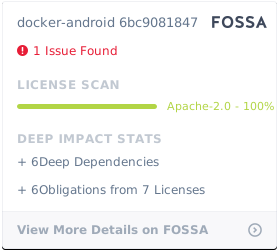](https://app.fossa.io/projects/git%2Bgithub.com%2Fbudtmo%2Fdocker-android?ref=badge_large)
|
||||
|
||||
[appium]: <https://appium.io>
|
||||
[espresso]: <https://developer.android.com/training/testing/espresso/>
|
||||
[robotium]: <https://github.com/RobotiumTech/robotium>
|
||||
|
||||
@@ -4,7 +4,7 @@ Run Appium Server
|
||||
Appium is automation test framework to test mobile website and mobile application, including Android. To be able to use Appium, you need to run appium-server. You run Appium-Server inside docker-android container by ***opening port 4723*** and ***passing an environment variable APPIUM=true***.
|
||||
|
||||
```bash
|
||||
docker run --privileged -d -p 6080:6080 -p 5554:5554 -p 5555:5555 -p 4723:4723 -e DEVICE="Samsung Galaxy S6" -e APPIUM=true --name android-container butomo1989/docker-android-x86-8.1
|
||||
docker run --privileged -d -p 6080:6080 -p 5554:5554 -p 5555:5555 -p 4723:4723 -e DEVICE="Samsung Galaxy S6" -e APPIUM=true --name android-container budtmo/docker-android-x86-8.1
|
||||
```
|
||||
|
||||
### Share Volume
|
||||
@@ -12,7 +12,7 @@ docker run --privileged -d -p 6080:6080 -p 5554:5554 -p 5555:5555 -p 4723:4723 -
|
||||
If you want to use appium to test UI of your android application, you need to share volume where the APK is located to folder ***/root/tmp***.
|
||||
|
||||
```bash
|
||||
docker run --privileged -d -p 6080:6080 -p 4723:4723 -p 5554:5554 -p 5555:5555 -v $PWD/example/sample_apk:/root/tmp -e DEVICE="Nexus 5" -e APPIUM=true -e CONNECT_TO_GRID=true -e APPIUM_HOST="127.0.0.1" -e APPIUM_PORT=4723 -e SELENIUM_HOST="172.17.0.1" -e SELENIUM_PORT=4444 --name android-container butomo1989/docker-android-x86-8.1
|
||||
docker run --privileged -d -p 6080:6080 -p 4723:4723 -p 5554:5554 -p 5555:5555 -v $PWD/example/sample_apk:/root/tmp -e DEVICE="Nexus 5" -e APPIUM=true -e CONNECT_TO_GRID=true -e APPIUM_HOST="127.0.0.1" -e APPIUM_PORT=4723 -e SELENIUM_HOST="172.17.0.1" -e SELENIUM_PORT=4444 --name android-container budtmo/docker-android-x86-8.1
|
||||
```
|
||||
|
||||
### Connect to Selenium Grid
|
||||
@@ -30,7 +30,7 @@ To run tests for mobile browser, following parameter can be passed:
|
||||
- MOBILE\_WEB\_TEST=true
|
||||
|
||||
```bash
|
||||
docker run --privileged -d -p 6080:6080 -p 4723:4723 -p 5554:5554 -p 5555:5555 -e DEVICE="Samsung Galaxy S6" -e APPIUM=true -e CONNECT_TO_GRID=true -e APPIUM_HOST="127.0.0.1" -e APPIUM_PORT=4723 -e SELENIUM_HOST="172.17.0.1" -e SELENIUM_PORT=4444 -e MOBILE_WEB_TEST=true --name android-container butomo1989/docker-android-x86-8.1
|
||||
docker run --privileged -d -p 6080:6080 -p 4723:4723 -p 5554:5554 -p 5555:5555 -e DEVICE="Samsung Galaxy S6" -e APPIUM=true -e CONNECT_TO_GRID=true -e APPIUM_HOST="127.0.0.1" -e APPIUM_PORT=4723 -e SELENIUM_HOST="172.17.0.1" -e SELENIUM_PORT=4444 -e MOBILE_WEB_TEST=true --name android-container budtmo/docker-android-x86-8.1
|
||||
```
|
||||
|
||||
### Video Recording
|
||||
|
||||
+1
-1
@@ -19,7 +19,7 @@ the emulator can be brought up as follows:
|
||||
|
||||
# Assume app.apk is in /tmp
|
||||
docker run --privileged -d -e DEVICE="Samsung Galaxy S6" --volume /tmp:/APK \
|
||||
--name android_em butomo1989/docker-android-x86-8.1
|
||||
--name android_em budtmo/docker-android-x86-8.1
|
||||
|
||||
docker exec android_em adb wait-for-device
|
||||
docker exec android_em adb install /APK/app.apk
|
||||
|
||||
@@ -3,7 +3,7 @@ Proxy
|
||||
|
||||
You can enable proxy inside container by passing following environment variables:
|
||||
|
||||
- HTTP_PROXY="\<language>docker\_bridge\_ip\_address>"
|
||||
- HTTP_PROXY="\<docker\_bridge\_ip\_address>"
|
||||
- HTTPS_PROXY="\<docker\_bridge\_ip\_address>"
|
||||
- NO_PROXY="localhost"
|
||||
|
||||
@@ -28,7 +28,7 @@ Custom Emulator Arguments
|
||||
If you want to add more arguments for running emulator, you can ***pass an environment variable EMULATOR_ARGS*** while running docker command.
|
||||
|
||||
```bash
|
||||
docker run --privileged -d -p 6080:6080 -p 4723:4723 -p 5554:5554 -p 5555:5555 -e DEVICE="Samsung Galaxy S6" -e EMULATOR_ARGS="-no-snapshot-load -partition-size 512" --name android-container butomo1989/docker-android-x86-8.1
|
||||
docker run --privileged -d -p 6080:6080 -p 4723:4723 -p 5554:5554 -p 5555:5555 -e DEVICE="Samsung Galaxy S6" -e EMULATOR_ARGS="-no-snapshot-load -partition-size 512" --name android-container budtmo/docker-android-x86-8.1
|
||||
```
|
||||
|
||||
Back & Restore
|
||||
@@ -40,7 +40,7 @@ If you want to backup/reuse the avds created with furture upgrades or for replic
|
||||
- -v local_backup/android_emulator:/root/android_emulator
|
||||
|
||||
```bash
|
||||
docker run --privileged -d -p 6080:6080 -p 4723:4723 -p 5554:5554 -p 5555:5555 -v local_backup/.android:/root/.android -v local_backup/android_emulator:local_backup/android_emulator -e DEVICE="Nexus 5" --name android-container butomo1989/docker-android-x86-8.1
|
||||
docker run --privileged -d -p 6080:6080 -p 4723:4723 -p 5554:5554 -p 5555:5555 -v local_backup/.android:/root/.android -v local_backup/android_emulator:local_backup/android_emulator -e DEVICE="Nexus 5" --name android-container budtmo/docker-android-x86-8.1
|
||||
```
|
||||
|
||||
For the first run, this will create a new avd and all the changes will be accessible in the `local_backup` directory. Now for all future runs, it will reuse the avds. Even this should work with new releases of `docker-android`
|
||||
|
||||
@@ -1,6 +1,8 @@
|
||||
Genymotion Cloud
|
||||
----------------
|
||||
|
||||

|
||||
|
||||
You can easily scale your Appium tests on Genymotion Android virtual devices in the cloud. They are available on SaaS or as virtual images on AWS, GCP or Alibaba Cloud.
|
||||
|
||||
1. On SaaS <br />
|
||||
@@ -11,18 +13,14 @@ You can easily scale your Appium tests on Genymotion Android virtual devices in
|
||||
export PASS="xxx"
|
||||
export LICENSE="xxx"
|
||||
|
||||
docker run -it --rm -p 4723:4723 -v $PWD/genymotion/example/sample_devices:/root/tmp -e TYPE=genycloud -e USER=$USER -e PASS=$PASS -e LICENSE=$LICENSE butomo1989/docker-android-genymotion
|
||||
docker run -it --rm -p 4723:4723 -v $PWD/genymotion/example/sample_devices:/root/tmp -e TYPE=SaaS -e USER=$USER -e PASS=$PASS -e LICENSE=$LICENSE budtmo/docker-android-genymotion
|
||||
```
|
||||
|
||||
<p align="center">
|
||||
<a href="https://youtu.be/jXhUEyaVeMY"><img src="./images/Genymotion_cloud.png" alt="Docker-Android supports Genymotion Cloud" width="600"></a>
|
||||
</p>
|
||||
|
||||
2. On PaaS (AWS) <br />
|
||||
Use [aws.json](genymotion/example/sample_devices/aws.json) to define configuration of EC2 instance and run following command:
|
||||
|
||||
```bash
|
||||
docker run -it --rm -p 4723:4723 -v $PWD/genymotion/example/sample_devices:/root/tmp -v ~/.aws:/root/.aws -e TYPE=aws butomo1989/docker-android-genymotion
|
||||
docker run -it --rm -p 4723:4723 -v $PWD/genymotion/example/sample_devices:/root/tmp -v ~/.aws:/root/.aws -e TYPE=aws budtmo/docker-android-genymotion
|
||||
```
|
||||
|
||||
You can also use [this docker-compose file](genymotion/example/geny.yml).
|
||||
|
||||
+1
-1
@@ -65,7 +65,7 @@ The following instructions are used for OS X. You'll need [docker-machine-parall
|
||||
5. You may now run a docker container
|
||||
5.1. Let's run a docker image for an emulator with x86 processor.
|
||||
```bash
|
||||
docker run --privileged -d -p 6080:6080 -p 5554:5554 -p 5555:5555 -e DEVICE="Samsung Galaxy S6" --name android-container butomo1989/docker-android-x86-8.1
|
||||
docker run --privileged -d -p 6080:6080 -p 5554:5554 -p 5555:5555 -e DEVICE="Samsung Galaxy S6" --name android-container budtmo/docker-android-x86-8.1
|
||||
```
|
||||
|
||||
When the services inside this docker container are running, connect to http://10.211.55.3:6080/vnc.html (the IP we got when the docker machine was created) and login. The emulator with x86 processor should be running on screen.
|
||||
|
||||
+5
-5
@@ -10,10 +10,10 @@ services:
|
||||
ports:
|
||||
- 4444:4444
|
||||
|
||||
# There is a bug for using appium. Issue: https://github.com/butomo1989/docker-android/issues/73
|
||||
# There is a bug for using appium. Issue: https://github.com/budtmo/docker-android/issues/73
|
||||
# Real devices
|
||||
#real_device:
|
||||
# image: butomo1989/docker-android-real-device
|
||||
# image: budtmo/docker-android-real-device
|
||||
# privileged: true
|
||||
# depends_on:
|
||||
# - selenium_hub
|
||||
@@ -49,7 +49,7 @@ services:
|
||||
|
||||
# Docker-Android for Android application testing
|
||||
nexus_7.1.1:
|
||||
image: butomo1989/docker-android-x86-7.1.1
|
||||
image: budtmo/docker-android-x86-7.1.1
|
||||
privileged: true
|
||||
# Increase scale number if needed
|
||||
scale: 1
|
||||
@@ -72,7 +72,7 @@ services:
|
||||
# Docker-Android for mobile website testing with chrome browser
|
||||
# Chrome browser exists only for version 7.0 and 7.1.1
|
||||
samsung_galaxy_web_7.1.1:
|
||||
image: butomo1989/docker-android-x86-8.1
|
||||
image: budtmo/docker-android-x86-8.1
|
||||
privileged: true
|
||||
# Increase scale number if needed
|
||||
scale: 1
|
||||
@@ -94,7 +94,7 @@ services:
|
||||
# Docker-Android for mobile website testing with default browser
|
||||
# Default browser exists only for version 5.0.1, 5.1.1 and 6.0
|
||||
samsung_galaxy_web_5.1.1:
|
||||
image: butomo1989/docker-android-x86-5.1.1
|
||||
image: budtmo/docker-android-x86-5.1.1
|
||||
privileged: true
|
||||
# Increase scale number if needed
|
||||
scale: 1
|
||||
|
||||
@@ -7,7 +7,7 @@ resource "docker_image" "selenium_hub_img" {
|
||||
}
|
||||
|
||||
resource "docker_image" "docker_android_img" {
|
||||
name = "butomo1989/docker-android-x86-8.1:latest"
|
||||
name = "budtmo/docker-android-x86-8.1:latest"
|
||||
}
|
||||
|
||||
resource "docker_network" "private_network" {
|
||||
|
||||
+3
-3
@@ -1,4 +1,4 @@
|
||||
FROM appium/appium:1.9.1-p0
|
||||
FROM appium/appium:1.11.0-p0
|
||||
|
||||
LABEL maintainer "Budi Utomo <budi.ut.1989@gmail.com>"
|
||||
|
||||
@@ -104,7 +104,7 @@ ENV ANDROID_VERSION=$ANDROID_VERSION \
|
||||
GOOGLE_PLAY_STORE=$GOOGLE_PLAY_STORE \
|
||||
GA=true \
|
||||
GA_ENDPOINT=https://www.google-analytics.com/collect \
|
||||
GA_TRACKING_ID=UA-128205228-1 \
|
||||
GA_TRACKING_ID=UA-133466903-1 \
|
||||
GA_API_VERSION="1" \
|
||||
APP_RELEASE_VERSION=$APP_RELEASE_VERSION \
|
||||
APP_TYPE=Emulator
|
||||
@@ -135,7 +135,7 @@ ENV DISPLAY=:0 \
|
||||
SCREEN=0 \
|
||||
SCREEN_WIDTH=1600 \
|
||||
SCREEN_HEIGHT=900 \
|
||||
SCREEN_DEPTH=16 \
|
||||
SCREEN_DEPTH=24+32 \
|
||||
LOCAL_PORT=5900 \
|
||||
TARGET_PORT=6080 \
|
||||
TIMEOUT=1 \
|
||||
|
||||
+2
-2
@@ -1,4 +1,4 @@
|
||||
FROM appium/appium:1.9.1-p0
|
||||
FROM appium/appium:1.11.0-p0
|
||||
|
||||
LABEL maintainer "Budi Utomo <budi.ut.1989@gmail.com>"
|
||||
|
||||
@@ -93,7 +93,7 @@ ENV DISPLAY=:0 \
|
||||
LOG_PATH=/var/log/supervisor \
|
||||
GA=true \
|
||||
GA_ENDPOINT=https://www.google-analytics.com/collect \
|
||||
GA_TRACKING_ID=UA-128205228-1 \
|
||||
GA_TRACKING_ID=UA-133466903-1 \
|
||||
GA_API_VERSION="1" \
|
||||
APP_RELEASE_VERSION=$APP_RELEASE_VERSION \
|
||||
APP_TYPE=Genymotion
|
||||
|
||||
+2
-2
@@ -1,4 +1,4 @@
|
||||
FROM appium/appium:1.9.1-p0
|
||||
FROM appium/appium:1.11.0-p0
|
||||
|
||||
LABEL maintainer "Budi Utomo <budi.ut.1989@gmail.com>"
|
||||
|
||||
@@ -84,7 +84,7 @@ ENV DISPLAY=:0 \
|
||||
LOG_PATH=/var/log/supervisor \
|
||||
GA=true \
|
||||
GA_ENDPOINT=https://www.google-analytics.com/collect \
|
||||
GA_TRACKING_ID=UA-128205228-1 \
|
||||
GA_TRACKING_ID=UA-133466903-1 \
|
||||
GA_API_VERSION="1" \
|
||||
APP_RELEASE_VERSION=$APP_RELEASE_VERSION \
|
||||
APP_TYPE=Device
|
||||
|
||||
@@ -11,7 +11,7 @@ services:
|
||||
- 4444:4444
|
||||
|
||||
# Please stop this container by using docker stop instead of docker-compose stop
|
||||
cloud:
|
||||
saas:
|
||||
image: butomo1989/docker-android-genymotion
|
||||
depends_on:
|
||||
- selenium_hub
|
||||
@@ -20,7 +20,7 @@ services:
|
||||
- $PWD/sample_apk:/root/tmp/sample_apk
|
||||
- $PWD/sample_devices:/root/tmp
|
||||
environment:
|
||||
- TYPE=genycloud
|
||||
- TYPE=SaaS
|
||||
- TEMPLATE=/root/tmp/devices.json
|
||||
- USER=$USER
|
||||
- PASS=$PASS
|
||||
|
||||
@@ -1,12 +1,60 @@
|
||||
[
|
||||
{
|
||||
"region": "eu-west-1",
|
||||
"android_version": "6.0",
|
||||
"instance": "t2.small"
|
||||
},
|
||||
{
|
||||
"region": "eu-west-1",
|
||||
"android_version": "8.0",
|
||||
"instance": "t2.small"
|
||||
},
|
||||
{
|
||||
"region": "eu-west-1",
|
||||
"instance": "t2.small",
|
||||
"AMI": "ami-68d78411",
|
||||
"SG": [
|
||||
{
|
||||
"type": "ingress",
|
||||
"configurations": [
|
||||
{
|
||||
"from_port": 22,
|
||||
"to_port": 22,
|
||||
"protocol": "tcp",
|
||||
"cidr_blocks": "0.0.0.0/0"
|
||||
},
|
||||
{
|
||||
"from_port": 80,
|
||||
"to_port": 80,
|
||||
"protocol": "tcp",
|
||||
"cidr_blocks": "0.0.0.0/0"
|
||||
},
|
||||
{
|
||||
"from_port": 443,
|
||||
"to_port": 443,
|
||||
"protocol": "tcp",
|
||||
"cidr_blocks": "0.0.0.0/0"
|
||||
},
|
||||
{
|
||||
"from_port": 51000,
|
||||
"to_port": 51100,
|
||||
"protocol": "tcp",
|
||||
"cidr_blocks": "0.0.0.0/0"
|
||||
},
|
||||
{
|
||||
"from_port": 51000,
|
||||
"to_port": 51100,
|
||||
"protocol": "udp",
|
||||
"cidr_blocks": "0.0.0.0/0"
|
||||
}
|
||||
]
|
||||
},
|
||||
{
|
||||
"type": "egress",
|
||||
"configurations": [
|
||||
{
|
||||
"from_port": 0,
|
||||
"to_port": 65535,
|
||||
"protocol": "udp",
|
||||
"cidr_blocks": "0.0.0.0/0"
|
||||
}
|
||||
]
|
||||
}
|
||||
]
|
||||
}
|
||||
]
|
||||
|
||||
@@ -1,7 +1,7 @@
|
||||
#!/bin/bash
|
||||
# This script is needed because of https://www.ctl.io/developers/blog/post/gracefully-stopping-docker-containers/
|
||||
|
||||
types=(genycloud aws)
|
||||
types=(saas aws)
|
||||
|
||||
if [ -z "$TYPE" ]; then
|
||||
echo "Please specify one of following types: ${types[@]}"
|
||||
|
||||

Binary file not shown.
|
After Width: | Height: | Size: 115 KiB |
+1
-1
@@ -1,7 +1,7 @@
|
||||
#!/bin/bash
|
||||
# Bash version should >= 4 to be able to run this script.
|
||||
|
||||
IMAGE="butomo1989/docker-android"
|
||||
IMAGE="budtmo/docker-android"
|
||||
|
||||
if [ -z "$1" ]; then
|
||||
read -p "Task (test|build|push|all) : " TASK
|
||||
|
||||
+1
-1
@@ -12,7 +12,7 @@ else
|
||||
RELEASE=$2
|
||||
fi
|
||||
|
||||
IMAGE="butomo1989/docker-android"
|
||||
IMAGE="budtmo/docker-android"
|
||||
FILE_NAME=docker/Genymotion
|
||||
|
||||
image_version="$IMAGE-genymotion:$RELEASE"
|
||||
|
||||
+1
-1
@@ -12,7 +12,7 @@ else
|
||||
RELEASE=$2
|
||||
fi
|
||||
|
||||
IMAGE="butomo1989/docker-android"
|
||||
IMAGE="budtmo/docker-android"
|
||||
FILE_NAME=docker/Real_device
|
||||
|
||||
image_version="$IMAGE-real-device:$RELEASE"
|
||||
|
||||
@@ -1,6 +1,6 @@
|
||||
#!/bin/bash
|
||||
|
||||
IMAGE_NAME="butomo1989/docker-android"
|
||||
IMAGE_NAME="budtmo/docker-android"
|
||||
|
||||
if [ -z "$1" ]; then
|
||||
read -p "Type : " TYPE
|
||||
|
||||
+3
-2
@@ -124,7 +124,8 @@ def appium_run(avd_name: str):
|
||||
grid_connect = convert_str_to_bool(str(os.getenv('CONNECT_TO_GRID', False)))
|
||||
logger.info('Connect to selenium grid? {connect}'.format(connect=grid_connect))
|
||||
if grid_connect:
|
||||
local_ip = os.popen('ifconfig eth0 | grep \'inet addr:\' | cut -d: -f2 | awk \'{ print $1}\'').read().strip()
|
||||
# Ubuntu 16.04 -> local_ip = os.popen('ifconfig eth0 | grep \'inet addr:\' | cut -d: -f2 | awk \'{ print $1}\'').read().strip()
|
||||
local_ip = os.popen('ifconfig eth0 | grep \'inet\' | cut -d: -f2 | awk \'{ print $2}\'').read().strip()
|
||||
try:
|
||||
mobile_web_test = convert_str_to_bool(str(os.getenv('MOBILE_WEB_TEST', False)))
|
||||
appium_host = os.getenv('APPIUM_HOST', local_ip)
|
||||
@@ -164,7 +165,7 @@ def create_node_config(avd_name: str, browser_name: str, appium_host: str, appiu
|
||||
],
|
||||
'configuration': {
|
||||
'cleanUpCycle': 2000,
|
||||
'timeout': 30000,
|
||||
'timeout': 30,
|
||||
'proxy': 'org.openqa.grid.selenium.proxy.DefaultRemoteProxy',
|
||||
'url': 'http://{host}:{port}/wd/hub'.format(host=appium_host, port=appium_port),
|
||||
'host': appium_host,
|
||||
|
||||
+134
-46
@@ -46,13 +46,118 @@ function prepare_geny_aws() {
|
||||
echo ${row} | base64 --decode | jq -r ${1}
|
||||
}
|
||||
|
||||
region=$(get_value '.region')
|
||||
android_version=$(get_value '.android_version')
|
||||
instance=$(get_value '.instance')
|
||||
region=$(get_value '.region')
|
||||
android_version=$(get_value '.android_version')
|
||||
instance=$(get_value '.instance')
|
||||
ami=$(get_value '.AMI')
|
||||
sg=$(get_value '.SG')
|
||||
|
||||
echo $region
|
||||
echo $android_version
|
||||
echo $instance
|
||||
echo $region
|
||||
echo $android_version
|
||||
echo $instance
|
||||
echo $ami
|
||||
echo $sg
|
||||
|
||||
#TODO: remove this dirty hack
|
||||
if [[ $android_version == null ]]; then
|
||||
echo "[HACK] Version cannot be empty! version will be added!"
|
||||
android_version="6.0"
|
||||
fi
|
||||
|
||||
#Custom Security Group
|
||||
if [[ $sg != null ]]; then
|
||||
echo "Custom security group is found!"
|
||||
security_group=""
|
||||
|
||||
is_array=$(echo "${sg}" | jq 'if type=="array" then true else false end')
|
||||
if [ $is_array == "true" ]; then
|
||||
echo "New security group with given rules will be created"
|
||||
for i in $(echo "${sg}" | jq -r '.[] | @base64'); do
|
||||
get_value() {
|
||||
echo ${i} | base64 --decode | jq -r ${1}
|
||||
}
|
||||
|
||||
type=$(get_value '.type')
|
||||
configs=$(get_value '.configurations')
|
||||
|
||||
|
||||
for c in $(echo "${configs}" | jq -r '.[] | @base64'); do
|
||||
get_value() {
|
||||
echo ${c} | base64 --decode | jq -r ${1}
|
||||
}
|
||||
|
||||
from_port=$(get_value '.from_port')
|
||||
to_port=$(get_value '.to_port')
|
||||
protocol=$(get_value '.protocol')
|
||||
cidr_blocks=$(get_value '.cidr_blocks')
|
||||
security_group+=$(cat <<_EOF
|
||||
|
||||
$type {
|
||||
from_port = $from_port
|
||||
to_port = $to_port
|
||||
protocol = "$protocol"
|
||||
cidr_blocks = ["$cidr_blocks"]
|
||||
}
|
||||
_EOF
|
||||
)
|
||||
done
|
||||
done
|
||||
else
|
||||
#TODO: remove this dirty hack
|
||||
echo "Given security group will be used!"
|
||||
is_array="false"
|
||||
security_group=$(cat <<_EOF
|
||||
ingress {
|
||||
from_port = 22
|
||||
to_port = 22
|
||||
protocol = "tcp"
|
||||
cidr_blocks = ["0.0.0.0/0"]
|
||||
}
|
||||
_EOF
|
||||
)
|
||||
fi
|
||||
else
|
||||
echo "Custom security is not found! It will use default security group!"
|
||||
security_group=$(cat <<_EOF
|
||||
ingress {
|
||||
from_port = 22
|
||||
to_port = 22
|
||||
protocol = "tcp"
|
||||
cidr_blocks = ["0.0.0.0/0"]
|
||||
}
|
||||
ingress {
|
||||
from_port = 80
|
||||
to_port = 80
|
||||
protocol = "tcp"
|
||||
cidr_blocks = ["0.0.0.0/0"]
|
||||
}
|
||||
ingress {
|
||||
from_port = 443
|
||||
to_port = 443
|
||||
protocol = "tcp"
|
||||
cidr_blocks = ["0.0.0.0/0"]
|
||||
}
|
||||
ingress {
|
||||
from_port = 51000
|
||||
to_port = 51100
|
||||
protocol = "tcp"
|
||||
cidr_blocks = ["0.0.0.0/0"]
|
||||
}
|
||||
ingress {
|
||||
from_port = 51000
|
||||
to_port = 51100
|
||||
protocol = "udp"
|
||||
cidr_blocks = ["0.0.0.0/0"]
|
||||
}
|
||||
egress {
|
||||
from_port = 0
|
||||
to_port = 65535
|
||||
protocol = "udp"
|
||||
cidr_blocks = ["0.0.0.0/0"]
|
||||
}
|
||||
_EOF
|
||||
)
|
||||
fi
|
||||
|
||||
aws_tf_content=$(cat <<_EOF
|
||||
variable "aws_region_$index" {
|
||||
@@ -61,8 +166,8 @@ variable "aws_region_$index" {
|
||||
}
|
||||
|
||||
variable "android_version_$index" {
|
||||
type = "string"
|
||||
default = "$android_version"
|
||||
type = "string"
|
||||
default = "$android_version"
|
||||
}
|
||||
|
||||
variable "instance_type_$index" {
|
||||
@@ -77,39 +182,7 @@ provider "aws" {
|
||||
|
||||
resource "aws_security_group" "geny_sg_$index" {
|
||||
provider = "aws.provider_$index"
|
||||
ingress {
|
||||
from_port = 22
|
||||
to_port = 22
|
||||
protocol = "tcp"
|
||||
cidr_blocks = ["0.0.0.0/0"]
|
||||
description = "SSH access"
|
||||
}
|
||||
ingress {
|
||||
from_port = 80
|
||||
to_port = 80
|
||||
protocol = "tcp"
|
||||
cidr_blocks = ["0.0.0.0/0"]
|
||||
description = "HTTP access"
|
||||
}
|
||||
ingress {
|
||||
from_port = 443
|
||||
to_port = 443
|
||||
protocol = "tcp"
|
||||
cidr_blocks = ["0.0.0.0/0"]
|
||||
description = "HTTPS access"
|
||||
}
|
||||
ingress {
|
||||
from_port = 51000
|
||||
to_port = 51100
|
||||
protocol = "tcp"
|
||||
cidr_blocks = ["0.0.0.0/0"]
|
||||
}
|
||||
ingress {
|
||||
from_port = 51000
|
||||
to_port = 51100
|
||||
protocol = "udp"
|
||||
cidr_blocks = ["0.0.0.0/0"]
|
||||
}
|
||||
$security_group
|
||||
}
|
||||
|
||||
data "aws_ami" "geny_aws_$index" {
|
||||
@@ -131,9 +204,9 @@ resource "aws_key_pair" "geny_key_$index" {
|
||||
|
||||
resource "aws_instance" "geny_aws_$index" {
|
||||
provider = "aws.provider_$index"
|
||||
ami = "\${data.aws_ami.geny_aws_$index.id}"
|
||||
ami="\${data.aws_ami.geny_aws_$index.id}"
|
||||
instance_type = "\${var.instance_type_$index}"
|
||||
vpc_security_group_ids = ["\${aws_security_group.geny_sg_$index.name}"]
|
||||
vpc_security_group_ids=["\${aws_security_group.geny_sg_$index.name}"]
|
||||
key_name = "\${aws_key_pair.geny_key_$index.key_name}"
|
||||
tags {
|
||||
Name = "DockerAndroid-\${data.aws_ami.geny_aws_$index.id}"
|
||||
@@ -157,6 +230,21 @@ output "public_dns_$index" {
|
||||
_EOF
|
||||
)
|
||||
echo "$aws_tf_content" > /root/aws_tf_$index.tf
|
||||
|
||||
if [[ $ami != null ]]; then
|
||||
echo "Using given AMI!"
|
||||
sed -i "s/.*ami=.*/ ami=\"$ami\"/g" /root/aws_tf_$index.tf
|
||||
else
|
||||
echo "Custom AMI is not found. It will use the latest AMI!"
|
||||
fi
|
||||
|
||||
if [[ $sg != null ]] && [[ $is_array == "false" ]]; then
|
||||
echo "Using given security group: $sg"
|
||||
sed -i "s/.*vpc_security_group_ids=.*/ vpc_security_group_ids=[\"$sg\"]/g" /root/aws_tf_$index.tf
|
||||
fi
|
||||
|
||||
echo "---------------------------------------------------------"
|
||||
|
||||
((index++))
|
||||
((port++))
|
||||
done
|
||||
@@ -173,7 +261,7 @@ _EOF
|
||||
echo "Connect to adb remotely"
|
||||
for ((i=index;i>=1;i--)); do
|
||||
dns=$(./terraform output public_dns_$i)
|
||||
((sleep ${interval_sleep} && adb connect localhost:${port}) > /dev/null & ssh -i ~/.ssh/id_rsa -oStrictHostKeyChecking=no -q -NL ${port}:localhost:5555 shell@${dns}) &
|
||||
((sleep ${interval_sleep} && adb connect localhost:${port}) > /dev/null & ssh -i ~/.ssh/id_rsa -o ServerAliveInterval=60 -o StrictHostKeyChecking=no -q -NL ${port}:localhost:5555 shell@${dns}) &
|
||||
((port--))
|
||||
time_sleep=$((time_sleep+interval_sleep))
|
||||
done
|
||||
@@ -203,7 +291,7 @@ function run_appium() {
|
||||
function ga(){
|
||||
if [ "$GA" = true ]; then
|
||||
echo "Collecting data for improving the project"
|
||||
description="PROCESSOR: ${SYS_IMG}; DEVICE: ${DEVICE}; APPIUM: ${APPIUM}; SELENIUM: ${CONNECT_TO_GRID}; MOBILE_TEST: ${MOBILE_WEB_TEST}"
|
||||
description="PROCESSOR: ${SYS_IMG}; VERSION: ${ANDROID_VERSION}; DEVICE: ${DEVICE}; APPIUM: ${APPIUM}; SELENIUM: ${CONNECT_TO_GRID}; MOBILE_TEST: ${MOBILE_WEB_TEST}"
|
||||
random_user=$(cat /proc/version 2>&1 | sed -e 's/ /_/g' | sed -e 's/[()]//g' | sed -e 's/@.*_gcc_version/_gcc/g' | sed -e 's/__/_/g' | sed -e 's/Linux_version_//g' | sed -e 's/generic_build/genb/g')
|
||||
random_user="${APP_RELEASE_VERSION}_${random_user}"
|
||||
payload=(
|
||||
@@ -233,7 +321,7 @@ elif [ "$GENYMOTION" = true ]; then
|
||||
echo "${types[@]}"
|
||||
case $TYPE in
|
||||
"${types[0]}" )
|
||||
echo "Using Genymotion-Cloud"
|
||||
echo "Using Genymotion-Cloud (SaaS)"
|
||||
prepare_geny_cloud
|
||||
run_appium
|
||||
;;
|
||||
|
||||
+2
-1
@@ -1,5 +1,6 @@
|
||||
#!/bin/bash
|
||||
|
||||
ip=$(ifconfig eth0 | grep 'inet addr:' | cut -d: -f2 | awk '{ print $1}')
|
||||
#Ubuntu 16.04 -> ip=$(ifconfig eth0 | grep 'inet addr:' | cut -d: -f2 | awk '{ print $1}')
|
||||
ip=$(ifconfig eth0 | grep 'inet' | cut -d: -f2 | awk '{ print $2}')
|
||||
socat tcp-listen:5554,bind=$ip,fork tcp:127.0.0.1:5554 &
|
||||
socat tcp-listen:5555,bind=$ip,fork tcp:127.0.0.1:5555
|
||||
|
||||
@@ -64,6 +64,19 @@ class TestApp(TestCase):
|
||||
self.assertTrue(mocked_subprocess.called)
|
||||
self.assertTrue(mocked_appium.called)
|
||||
|
||||
@mock.patch('src.app.prepare_avd')
|
||||
@mock.patch('builtins.open')
|
||||
@mock.patch('subprocess.Popen')
|
||||
def test_run_with_appium_and_relaxed_security(self, mocked_avd, mocked_open, mocked_subprocess):
|
||||
with mock.patch('src.app.appium_run') as mocked_appium:
|
||||
os.environ['APPIUM'] = str(True)
|
||||
os.environ['RELAXED_SECURITY'] = str(True)
|
||||
app.run()
|
||||
self.assertTrue(mocked_avd.called)
|
||||
self.assertTrue(mocked_open.called)
|
||||
self.assertTrue(mocked_subprocess.called)
|
||||
self.assertTrue(mocked_appium.called)
|
||||
|
||||
@mock.patch('src.app.prepare_avd')
|
||||
@mock.patch('builtins.open')
|
||||
@mock.patch('subprocess.Popen')
|
||||
|
||||
Reference in New Issue
Block a user