Compare commits
| Author | SHA1 | Date | |
|---|---|---|---|
 butomo1989 butomo1989
|
d6a582ae20 | ||
|
ArneandBudi Utomo
|
120d80f0ab | ||
|
Budi UtomoandGitHub
|
377cb04ca1 | ||
|
ArneandGitHub
|
a1f83daf10 | ||
|
Budi UtomoandGitHub
|
c27ab1d6d6 | ||
|
vvbogdanov87
|
ca0f85b48f | ||
|
vvbogdanov87
|
b1114d9b87 | ||
|
butomo1989
|
f5e273d05c | ||
|
butomo1989
|
65c139e7d2 | ||
|
Budi UtomoandGitHub
|
34fa736916 | ||
|
Budi UtomoandGitHub
|
b707d1971f | ||
|
butomo1989
|
5923820261 | ||
|
butomo1989
|
d9389a48c6 | ||
|
Budi UtomoandGitHub
|
611a93d926 | ||
|
Graeme FosterandGitHub
|
4d64ece2f9 | ||
|
Raphael Baron
|
d1126b58c2 | ||
|
Raphael Baron
|
d881cb2e06 | ||
|
Raphael Baron
|
9f0c6a595e | ||
|
Raphael Baron
|
8c09a3e169 | ||
|
Raphael Baron
|
0e1ffe9cff | ||
|
butomo1989
|
9adec7fcfd | ||
|
butomo1989
|
4de36e6568 | ||
|
Budi UtomoandGitHub
|
c299582ac4 | ||
|
Trinh Pham
|
69654cd036 | ||
|
Trinh Pham
|
81f110adea | ||
|
Trinh Pham
|
068bb87ab3 | ||
|
Trinh Pham
|
d1559b6748 | ||
|
Trinh Pham
|
5c3cc8ed4d | ||
|
Trinh Pham
|
2ba73f87e0 | ||
|
butomo1989
|
d789139be9 | ||
|
butomo1989
|
b162e2ee58 | ||
|
butomo1989
|
42b4775e9f | ||
|
Trinh Pham
|
4213882f04 | ||
|
butomo1989
|
1b6bdab388 | ||
|
Budi UtomoandGitHub
|
087c91922c | ||
|
Trinh Pham
|
168f51471c | ||
|
butomo1989
|
19e26a086b | ||
|
butomo1989
|
de073327af | ||
|
Budi UtomoandGitHub
|
e7d684eb0a | ||
|
butomo1989
|
6237f452f8 | ||
|
Budi UtomoandGitHub
|
cd2a7a5bcd | ||
|
Trinh Pham
|
92acd04a53 | ||
|
Trinh Pham
|
7afe1c0e54 | ||
|
Trinh Pham
|
455bf6023d | ||
|
Trinh Pham
|
ce9936b6df | ||
|
Trinh Pham
|
359551e272 | ||
|
Trinh Pham
|
c888c05572 | ||
|
butomo1989
|
3479738457 | ||
|
butomo1989
|
98a3b3d8d5 | ||
|
butomo1989
|
abf1d33e62 | ||
|
butomo1989
|
9e826e4f61 | ||
|
butomo1989
|
5c2045a840 | ||
|
butomo1989
|
aa7e88cf46 | ||
|
butomo1989
|
4ac0bebe99 | ||
|
butomo1989
|
ac9b6e9af7 | ||
|
Budi UtomoandGitHub
|
65afbdeeba | ||
|
butomo1989
|
ed29b14c9e | ||
|
Budi UtomoandGitHub
|
54cb0fc824 | ||
|
Budi UtomoandGitHub
|
15375cc53b | ||
|
budtmo
|
4516899786 | ||
|
budtmo
|
45e7df6db3 | ||
|
Budi UtomoandGitHub
|
b9a7a486e1 | ||
|
Budi UtomoandGitHub
|
90642436dd | ||
|
budtmo
|
ef3c4e28c0 | ||
|
budtmo
|
4d4c22124f | ||
|
budtmo
|
7d63eac5ae | ||
|
Chris Hanaoka
|
b1be8ceeab | ||
|
budtmo
|
fcb89f2702 | ||
|
budtmo
|
226e088390 | ||
|
budtmo
|
3574b9825b | ||
|
budtmo
|
d34d635114 | ||
|
Budi UtomoandGitHub
|
43d38adf76 | ||
|
Budi UtomoandGitHub
|
a2d3c05a1c | ||
|
Budi UtomoandGitHub
|
a4c7919209 | ||
|
Budi UtomoandGitHub
|
2e59c45142 | ||
|
fossabot
|
664ad07905 | ||
|
Budi UtomoandGitHub
|
4b7de9d645 | ||
|
nonVoidandGitHub
|
5d1cf8e671 | ||
|
Felix Weber
|
9441d537b7 | ||
|
Budi UtomoandGitHub
|
a40acea0ba | ||
|
Felix Weber
|
54811c0c81 | ||
|
budtmo
|
893abf99e4 | ||
|
budtmo
|
14b6091277 | ||
|
budtmo
|
5acbce6654 | ||
|
butomo1989
|
1c844033f6 | ||
|
butomo1989
|
83ba9bb79e | ||
|
Budi UtomoandGitHub
|
712d3485ad | ||
|
Nicholas FrederickandGitHub
|
04512a0d16 |
@@ -1,10 +1,16 @@
|
||||
**Please make sure that it is an issue / a feature request. If it is a question / help wanted, please visit [our group chat](https://gitter.im/butomo1989/docker-android). Thank you!**
|
||||
---
|
||||
|
||||
name: 🐛 Bug report
|
||||
about: Report a bug to improve the tool
|
||||
---
|
||||
|
||||
## 🐛 Bug Report
|
||||
|
||||
Operating System:
|
||||
<!-- OSX Yosemite, Ubuntu 16.04, Windows 10 etc -->
|
||||
<!-- OSX Yosemite, Ubuntu 18.04, Windows 10 etc -->
|
||||
|
||||
Docker Image:
|
||||
<!-- butomo1989/docker-android-x86-7.1.1, butomo1989/docker-android-real-device etc -->
|
||||
<!-- budtmo/docker-android-x86-7.1.1, budtmo/docker-android-real-device etc -->
|
||||
|
||||
Docker Version:
|
||||
<!-- 17.09.0-ce, 17.06.2-ce etc -->
|
||||
@@ -0,0 +1,16 @@
|
||||
---
|
||||
|
||||
name: 🚀 Feature Request
|
||||
about: Submit your idea to have cool features
|
||||
---
|
||||
|
||||
## 🚀 Feature Request
|
||||
|
||||
Idea:
|
||||
<!-- A clear explanation about the feature -->
|
||||
|
||||
Problems that want to be solved:
|
||||
<!-- A clear explanation about why we need that feature -->
|
||||
|
||||
Note:
|
||||
<!-- Additional note -->
|
||||
@@ -0,0 +1,9 @@
|
||||
---
|
||||
|
||||
name: 💬 Questions / Help
|
||||
about: If you have questions, please check the group chat
|
||||
---
|
||||
|
||||
## 💬 Questions and Help
|
||||
|
||||
**Please make sure that it is an issue / a feature request. If it is a question / help wanted, please visit [our group chat](https://gitter.im/budtmo/docker-android). Thank you!**
|
||||
@@ -9,7 +9,7 @@ Docker-Android's analytics record some shared information for every event:
|
||||
|
||||
- The Google Analytics version i.e. `1` (https://developers.google.com/analytics/devguides/collection/protocol/v1/parameters#v)
|
||||
- The Google Analytics anonymous IP setting is enabled i.e. `1` (https://developers.google.com/analytics/devguides/collection/protocol/v1/parameters#aip)
|
||||
- The Docker-Android analytics tracking ID e.g. `UA-128205228-1` (https://developers.google.com/analytics/devguides/collection/protocol/v1/parameters#tid)
|
||||
- The Docker-Android analytics tracking ID e.g. `UA-133466903-1` (https://developers.google.com/analytics/devguides/collection/protocol/v1/parameters#tid)
|
||||
- The release version of machine, e.g. `Linux_version_4.4.16-boot2docker_(gcc_version_4.9.2_(Debian_4.9.2-10)_)_#1_SMP_Fri_Jul_29_00:13:24_UTC_2016` This does not allow us to track individual users but does enable us to accurately measure user counts vs. event counts (https://developers.google.com/analytics/devguides/collection/protocol/v1/parameters#cid)
|
||||
- Docker-Android analytics hit type, e.g. `event` (https://developers.google.com/analytics/devguides/collection/protocol/v1/parameters#t)
|
||||
- Application type, e.g. `Emulator` (https://developers.google.com/analytics/devguides/collection/protocol/v1/parameters#ec)
|
||||
|
||||
@@ -12,7 +12,7 @@ Unless required by applicable law or agreed to in writing, software distributed
|
||||
|
||||
|
||||
## Forks
|
||||
Additionally to Apache-2.0, when you fork this repo you are required to either remove our Google Analytics tracking ID: UA-128205228-1 or stop usage gathering completely.
|
||||
Additionally to Apache-2.0, when you fork this repo you are required to either remove our Google Analytics tracking ID: UA-133466903-1 or stop usage gathering completely.
|
||||
|
||||
## Data processing agreement
|
||||
By using this software you agree that the following non-PII (non personally identifiable information) data will be collected, processed and used by the maintainers for the purpose of improving the docker-android project. Anonymisation with respect of the IP address means that only the first two octets of the IP address are collected.
|
||||
|
||||
@@ -1 +1 @@
|
||||
Budi Utomo <budi.ut.1989@gmail.com>
|
||||
Budi Utomo <budtmo.os@gmail.com>
|
||||
|
||||
@@ -2,11 +2,14 @@
|
||||
<img id="header" src="./images/logo_dockerandroid_small.png" />
|
||||
</p>
|
||||
|
||||
[](https://github.com/igrigorik/ga-beacon "Analytics")
|
||||
[](https://gitter.im/butomo1989/docker-android?utm_source=badge&utm_medium=badge&utm_campaign=pr-badge&utm_content=badge)
|
||||
[](https://travis-ci.org/butomo1989/docker-android)
|
||||
[](https://codecov.io/gh/butomo1989/docker-android)
|
||||
[](https://github.com/igrigorik/ga-beacon "Analytics")
|
||||
[](https://gitter.im/budtmo/docker-android?utm_source=badge&utm_medium=badge&utm_campaign=pr-badge&utm_content=badge)
|
||||
[](https://travis-ci.org/budtmo/docker-android)
|
||||
[](https://codecov.io/gh/budtmo/docker-android)
|
||||
[](https://www.codacy.com/app/butomo1989/docker-appium?utm_source=github.com&utm_medium=referral&utm_content=butomo1989/docker-appium&utm_campaign=Badge_Grade)
|
||||
[](https://github.com/budtmo/docker-android/releases)
|
||||
[](https://app.fossa.io/projects/git%2Bgithub.com%2Fbudtmo%2Fdocker-android?ref=badge_shield)
|
||||
[](http://makeapullrequest.com)
|
||||
|
||||
Docker-Android is a docker image built to be used for everything related to mobile website testing and Android project.
|
||||
|
||||
@@ -40,22 +43,27 @@ List of Docker images
|
||||
|
||||
|OS |Android |API |Browser |Browser version |Chromedriver |Image |Size |
|
||||
|:---|:---|:---|:---|:---|:---|:---|:---|
|
||||
|Linux|5.0.1|21|browser|37.0|2.21|butomo1989/docker-android-x86-5.0.1|[](https://microbadger.com/images/butomo1989/docker-android-x86-5.0.1 "Get your own image badge on microbadger.com")|
|
||||
|Linux|5.1.1|22|browser|39.0|2.13|butomo1989/docker-android-x86-5.1.1|[](https://microbadger.com/images/butomo1989/docker-android-x86-5.1.1 "Get your own image badge on microbadger.com")|
|
||||
|Linux|6.0|23|browser|44.0|2.18|butomo1989/docker-android-x86-6.0|[](https://microbadger.com/images/butomo1989/docker-android-x86-6.0 "Get your own image badge on microbadger.com")|
|
||||
|Linux|7.0|24|chrome|51.0|2.23|butomo1989/docker-android-x86-7.0|[](https://microbadger.com/images/butomo1989/docker-android-x86-7.0 "Get your own image badge on microbadger.com")|
|
||||
|Linux|7.1.1|25|chrome|55.0|2.28|butomo1989/docker-android-x86-7.1.1|[](https://microbadger.com/images/butomo1989/docker-android-x86-7.1.1 "Get your own image badge on microbadger.com")|
|
||||
|Linux|8.0|26|chrome|58.0|2.31|butomo1989/docker-android-x86-8.0|[](https://microbadger.com/images/butomo1989/docker-android-x86-8.0 "Get your own image badge on microbadger.com")|
|
||||
|Linux|8.1|27|chrome|61.0|2.33|butomo1989/docker-android-x86-8.1|[](https://microbadger.com/images/butomo1989/docker-android-x86-8.1 "Get your own image badge on microbadger.com")|
|
||||
|Linux|9.0|28|chrome|66.0|2.40|butomo1989/docker-android-x86-9.0|[](https://microbadger.com/images/butomo1989/docker-android-x86-9.0 "Get your own image badge on microbadger.com")|
|
||||
|All |-|-|-|-|-|butomo1989/docker-android-real-device|[](https://microbadger.com/images/butomo1989/docker-android-real-device "Get your own image badge on microbadger.com")|
|
||||
|Linux|All|All|All|All|All|butomo1989/docker-android-genymotion|[](https://microbadger.com/images/butomo1989/docker-android-genymotion "Get your own image badge on microbadger.com")|
|
||||
|Linux|5.0.1|21|browser|37.0|2.21|budtmo/docker-android-x86-5.0.1|[](https://microbadger.com/images/budtmo/docker-android-x86-5.0.1 "Get your own image badge on microbadger.com")|
|
||||
|Linux|5.1.1|22|browser|39.0|2.13|budtmo/docker-android-x86-5.1.1|[](https://microbadger.com/images/budtmo/docker-android-x86-5.1.1 "Get your own image badge on microbadger.com")|
|
||||
|Linux|6.0|23|browser|44.0|2.18|budtmo/docker-android-x86-6.0|[](https://microbadger.com/images/budtmo/docker-android-x86-6.0 "Get your own image badge on microbadger.com")|
|
||||
|Linux|7.0|24|chrome|51.0|2.23|budtmo/docker-android-x86-7.0|[](https://microbadger.com/images/budtmo/docker-android-x86-7.0 "Get your own image badge on microbadger.com")|
|
||||
|Linux|7.1.1|25|chrome|55.0|2.28|budtmo/docker-android-x86-7.1.1|[](https://microbadger.com/images/budtmo/docker-android-x86-7.1.1 "Get your own image badge on microbadger.com")|
|
||||
|Linux|8.0|26|chrome|58.0|2.31|budtmo/docker-android-x86-8.0|[](https://microbadger.com/images/budtmo/docker-android-x86-8.0 "Get your own image badge on microbadger.com")|
|
||||
|Linux|8.1|27|chrome|61.0|2.33|budtmo/docker-android-x86-8.1|[](https://microbadger.com/images/budtmo/docker-android-x86-8.1 "Get your own image badge on microbadger.com")|
|
||||
|Linux|9.0|28|chrome|66.0|2.40|budtmo/docker-android-x86-9.0|[](https://microbadger.com/images/budtmo/docker-android-x86-9.0 "Get your own image badge on microbadger.com")|
|
||||
|All |-|-|-|-|-|budtmo/docker-android-real-device|[](https://microbadger.com/images/budtmo/docker-android-real-device "Get your own image badge on microbadger.com")|
|
||||
|All|All|All|All|All|All|budtmo/docker-android-genymotion|[](https://microbadger.com/images/budtmo/docker-android-genymotion "Get your own image badge on microbadger.com")|
|
||||
|
||||
List of Devices
|
||||
---------------
|
||||
|
||||
Type | Device Name
|
||||
----- | -----
|
||||
Phone | Samsung Galaxy S10
|
||||
Phone | Samsung Galaxy S9
|
||||
Phone | Samsung Galaxy S8
|
||||
Phone | Samsung Galaxy S7 Edge
|
||||
Phone | Samsung Galaxy S7
|
||||
Phone | Samsung Galaxy S6
|
||||
Phone | Nexus 4
|
||||
Phone | Nexus 5
|
||||
@@ -76,7 +84,7 @@ Quick Start
|
||||
- For ***Linux OS***, please use image name that contains "x86"
|
||||
|
||||
```bash
|
||||
docker run --privileged -d -p 6080:6080 -p 5554:5554 -p 5555:5555 -e DEVICE="Samsung Galaxy S6" --name android-container butomo1989/docker-android-x86-8.1
|
||||
docker run --privileged -d -p 6080:6080 -p 5554:5554 -p 5555:5555 -e DEVICE="Samsung Galaxy S6" --name android-container budtmo/docker-android-x86-8.1
|
||||
```
|
||||
|
||||
- For ***OSX*** and ***Windows OS***, please use Virtual Machine that support Virtualization with Ubuntu OS
|
||||
@@ -113,8 +121,35 @@ Docker-Android can be used for building Android project and executing its unit t
|
||||
2. Build the project
|
||||
|
||||
```bash
|
||||
docker run -it --rm -v $PWD/android-testing/ui/espresso/BasicSample:/root/tmp butomo1989/docker-android-x86-8.1 tmp/gradlew build
|
||||
docker run -it --rm -v $PWD/android-testing/ui/espresso/BasicSample:/root/tmp budtmo/docker-android-x86-8.1 tmp/gradlew build
|
||||
```
|
||||
|
||||
Control Android connected to host (Emulator or Real Device)
|
||||
-----------------------------------------------------------
|
||||
1. Create a docker container with this command
|
||||
|
||||
```
|
||||
$ docker run --privileged -d -p 6080:6080 -p 5554:5554 -p 5555:5555 -p 4723:4723 --name android-container-appium budtmo/docker-android-real-device
|
||||
```
|
||||
|
||||
2. Open noVNC [http://localhost:6080](http://localhost:6080)
|
||||
|
||||
3. Open terminal by clicking right on **noVNC** window >> **Terminal emulator**
|
||||
|
||||
4. To connect to host's adb (make sure your host have adb and connected to the device.)
|
||||
|
||||
```
|
||||
$ adb -H host.docker.internal devices
|
||||
```
|
||||
|
||||
To specify port, just add `-P port_number`
|
||||
|
||||
```
|
||||
$ adb -H host.docker.internal -P 5037 devices
|
||||
```
|
||||
|
||||
5. Now your container can access your host devices. But, you need to add `remoteAdbHost` and `adbPort` desired capabilities to make **Appium** can recognise those devices.
|
||||
|
||||
|
||||
Appium and Selenium Grid
|
||||
------------------------
|
||||
@@ -175,6 +210,11 @@ Google Play Services and Google Play Store
|
||||
|
||||
Docker-Android contains Google Play Service (v12.8.74) and Google Play Store (v11.0.50). Both applications are downloaded from [apklinker](https://www.apklinker.com/), so please be aware of it in case you use private/company account to that applications.
|
||||
|
||||
Jenkins
|
||||
-------
|
||||
|
||||
This [document](README_JENKINS.md) gives you information about custom plugin that supports Docker-Android.
|
||||
|
||||
VMWARE
|
||||
------
|
||||
|
||||
@@ -202,6 +242,14 @@ All logs inside container are stored under folder **/var/log/supervisor**. you c
|
||||
docker exec -it android-container tail -f /var/log/supervisor/docker-android.stdout.log
|
||||
```
|
||||
|
||||
Emulator Skins
|
||||
--------------
|
||||
The Emulator skins are taken from [Android Studio IDE](https://developer.android.com/studio) and [Samsung Developer Website](e)
|
||||
|
||||
Security
|
||||
--------
|
||||
All docker images are protected by [Polyverse](https://polyverse.io/) by scrambling the Linux packages. For more information please read [this](https://polyverse.io/how-it-works/)
|
||||
|
||||
Special Thanks
|
||||
--------------
|
||||
- [Gian Christanto] for creating a great logo!
|
||||
@@ -210,6 +258,8 @@ LICENSE
|
||||
--------------
|
||||
See [License](LICENSE.md)
|
||||
|
||||
[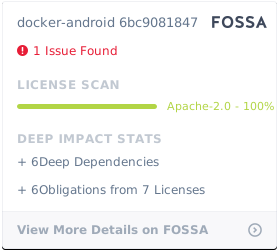](https://app.fossa.io/projects/git%2Bgithub.com%2Fbudtmo%2Fdocker-android?ref=badge_large)
|
||||
|
||||
[appium]: <https://appium.io>
|
||||
[espresso]: <https://developer.android.com/training/testing/espresso/>
|
||||
[robotium]: <https://github.com/RobotiumTech/robotium>
|
||||
|
||||
@@ -4,7 +4,7 @@ Run Appium Server
|
||||
Appium is automation test framework to test mobile website and mobile application, including Android. To be able to use Appium, you need to run appium-server. You run Appium-Server inside docker-android container by ***opening port 4723*** and ***passing an environment variable APPIUM=true***.
|
||||
|
||||
```bash
|
||||
docker run --privileged -d -p 6080:6080 -p 5554:5554 -p 5555:5555 -p 4723:4723 -e DEVICE="Samsung Galaxy S6" -e APPIUM=true --name android-container butomo1989/docker-android-x86-8.1
|
||||
docker run --privileged -d -p 6080:6080 -p 5554:5554 -p 5555:5555 -p 4723:4723 -e DEVICE="Samsung Galaxy S6" -e APPIUM=true --name android-container budtmo/docker-android-x86-8.1
|
||||
```
|
||||
|
||||
### Share Volume
|
||||
@@ -12,7 +12,7 @@ docker run --privileged -d -p 6080:6080 -p 5554:5554 -p 5555:5555 -p 4723:4723 -
|
||||
If you want to use appium to test UI of your android application, you need to share volume where the APK is located to folder ***/root/tmp***.
|
||||
|
||||
```bash
|
||||
docker run --privileged -d -p 6080:6080 -p 4723:4723 -p 5554:5554 -p 5555:5555 -v $PWD/example/sample_apk:/root/tmp -e DEVICE="Nexus 5" -e APPIUM=true -e CONNECT_TO_GRID=true -e APPIUM_HOST="127.0.0.1" -e APPIUM_PORT=4723 -e SELENIUM_HOST="172.17.0.1" -e SELENIUM_PORT=4444 --name android-container butomo1989/docker-android-x86-8.1
|
||||
docker run --privileged -d -p 6080:6080 -p 4723:4723 -p 5554:5554 -p 5555:5555 -v $PWD/example/sample_apk:/root/tmp -e DEVICE="Nexus 5" -e APPIUM=true -e CONNECT_TO_GRID=true -e APPIUM_HOST="127.0.0.1" -e APPIUM_PORT=4723 -e SELENIUM_HOST="172.17.0.1" -e SELENIUM_PORT=4444 --name android-container budtmo/docker-android-x86-8.1
|
||||
```
|
||||
|
||||
### Connect to Selenium Grid
|
||||
@@ -30,7 +30,7 @@ To run tests for mobile browser, following parameter can be passed:
|
||||
- MOBILE\_WEB\_TEST=true
|
||||
|
||||
```bash
|
||||
docker run --privileged -d -p 6080:6080 -p 4723:4723 -p 5554:5554 -p 5555:5555 -e DEVICE="Samsung Galaxy S6" -e APPIUM=true -e CONNECT_TO_GRID=true -e APPIUM_HOST="127.0.0.1" -e APPIUM_PORT=4723 -e SELENIUM_HOST="172.17.0.1" -e SELENIUM_PORT=4444 -e MOBILE_WEB_TEST=true --name android-container butomo1989/docker-android-x86-8.1
|
||||
docker run --privileged -d -p 6080:6080 -p 4723:4723 -p 5554:5554 -p 5555:5555 -e DEVICE="Samsung Galaxy S6" -e APPIUM=true -e CONNECT_TO_GRID=true -e APPIUM_HOST="127.0.0.1" -e APPIUM_PORT=4723 -e SELENIUM_HOST="172.17.0.1" -e SELENIUM_PORT=4444 -e MOBILE_WEB_TEST=true --name android-container budtmo/docker-android-x86-8.1
|
||||
```
|
||||
|
||||
### Video Recording
|
||||
|
||||
@@ -19,7 +19,7 @@ the emulator can be brought up as follows:
|
||||
|
||||
# Assume app.apk is in /tmp
|
||||
docker run --privileged -d -e DEVICE="Samsung Galaxy S6" --volume /tmp:/APK \
|
||||
--name android_em butomo1989/docker-android-x86-8.1
|
||||
--name android_em budtmo/docker-android-x86-8.1
|
||||
|
||||
docker exec android_em adb wait-for-device
|
||||
docker exec android_em adb install /APK/app.apk
|
||||
|
||||
@@ -1,11 +1,12 @@
|
||||
Proxy
|
||||
-----
|
||||
|
||||
You can enable proxy inside container by passing following environment variables:
|
||||
You can enable proxy inside container and Android emulator by passing following environment variables:
|
||||
|
||||
- HTTP_PROXY="\<docker\_bridge\_ip\_address>"
|
||||
- HTTPS_PROXY="\<docker\_bridge\_ip\_address>"
|
||||
- HTTP_PROXY="http://\<docker\_bridge\_ip>:<port>"
|
||||
- HTTPS_PROXY=""http://\<docker\_bridge\_ip>:<port>"
|
||||
- NO_PROXY="localhost"
|
||||
- ENABLE_PROXY_ON_EMULATOR=true
|
||||
|
||||
Language
|
||||
--------
|
||||
@@ -28,9 +29,19 @@ Custom Emulator Arguments
|
||||
If you want to add more arguments for running emulator, you can ***pass an environment variable EMULATOR_ARGS*** while running docker command.
|
||||
|
||||
```bash
|
||||
docker run --privileged -d -p 6080:6080 -p 4723:4723 -p 5554:5554 -p 5555:5555 -e DEVICE="Samsung Galaxy S6" -e EMULATOR_ARGS="-no-snapshot-load -partition-size 512" --name android-container butomo1989/docker-android-x86-8.1
|
||||
docker run --privileged -d -p 6080:6080 -p 4723:4723 -p 5554:5554 -p 5555:5555 -e DEVICE="Samsung Galaxy S6" -e EMULATOR_ARGS="-no-snapshot-load -partition-size 512" --name android-container budtmo/docker-android-x86-8.1
|
||||
```
|
||||
|
||||
Appium Test Distribution (ATD)
|
||||
------------------------------
|
||||
|
||||
You can enable [ATD](https://github.com/AppiumTestDistribution/AppiumTestDistribution) by passing environment variable ATD=true and bind the port to the host, e.g. -p 4567:4567
|
||||
|
||||
SaltStack
|
||||
---------
|
||||
|
||||
You can enable [SaltStack](https://github.com/saltstack/salt) to control running containers by passing environment variable SALT_MASTER=<ip_address_of_salt_master>.
|
||||
|
||||
Back & Restore
|
||||
--------------
|
||||
|
||||
@@ -40,7 +51,7 @@ If you want to backup/reuse the avds created with furture upgrades or for replic
|
||||
- -v local_backup/android_emulator:/root/android_emulator
|
||||
|
||||
```bash
|
||||
docker run --privileged -d -p 6080:6080 -p 4723:4723 -p 5554:5554 -p 5555:5555 -v local_backup/.android:/root/.android -v local_backup/android_emulator:local_backup/android_emulator -e DEVICE="Nexus 5" --name android-container butomo1989/docker-android-x86-8.1
|
||||
docker run --privileged -d -p 6080:6080 -p 4723:4723 -p 5554:5554 -p 5555:5555 -v local_backup/.android:/root/.android -v local_backup/android_emulator:/root/android_emulator -e DEVICE="Nexus 5" --name android-container budtmo/docker-android-x86-8.1
|
||||
```
|
||||
|
||||
For the first run, this will create a new avd and all the changes will be accessible in the `local_backup` directory. Now for all future runs, it will reuse the avds. Even this should work with new releases of `docker-android`
|
||||
|
||||
@@ -3,7 +3,7 @@ Genymotion Cloud
|
||||
|
||||

|
||||
|
||||
You can easily scale your Appium tests on Genymotion Android virtual devices in the cloud. They are available on SaaS or as virtual images on AWS, GCP or Alibaba Cloud.
|
||||
You can easily scale your Appium tests on Genymotion Android virtual devices in the cloud. They are available on [SaaS](http://bit.ly/2YP0P1l) or as virtual images on AWS, GCP or Alibaba Cloud.
|
||||
|
||||
1. On SaaS <br />
|
||||
Use [device.json](genymotion/example/sample_devices/devices.json) to define the device to start. You can specify the port on which the device will start so you don't need to change the device name in your tests every time you need to run those tests. Then run following command
|
||||
@@ -11,20 +11,31 @@ You can easily scale your Appium tests on Genymotion Android virtual devices in
|
||||
```bash
|
||||
export USER="xxx"
|
||||
export PASS="xxx"
|
||||
export LICENSE="xxx"
|
||||
|
||||
docker run -it --rm -p 4723:4723 -v $PWD/genymotion/example/sample_devices:/root/tmp -e TYPE=SaaS -e USER=$USER -e PASS=$PASS -e LICENSE=$LICENSE butomo1989/docker-android-genymotion
|
||||
docker run -it --rm -p 4723:4723 -v $PWD/genymotion/example/sample_devices:/root/tmp -e TYPE=SaaS -e USER=$USER -e PASS=$PASS budtmo/docker-android-genymotion
|
||||
```
|
||||
|
||||
<p align="center">
|
||||
<a href="https://youtu.be/jXhUEyaVeMY"><img src="./images/Genymotion_cloud.png" alt="Docker-Android supports Genymotion Cloud" width="600"></a>
|
||||
</p>
|
||||
In case you are interesed to play around with Genymotion on SaaS, you can register to [this link](http://bit.ly/2YP0P1l) to get 1000 free minutes for free.
|
||||
|
||||
2. On PaaS (AWS) <br />
|
||||
Use [aws.json](genymotion/example/sample_devices/aws.json) to define configuration of EC2 instance and run following command:
|
||||
|
||||
```bash
|
||||
docker run -it --rm -p 4723:4723 -v $PWD/genymotion/example/sample_devices:/root/tmp -v ~/.aws:/root/.aws -e TYPE=aws butomo1989/docker-android-genymotion
|
||||
docker run -it --rm -p 4723:4723 -v $PWD/genymotion/example/sample_devices:/root/tmp -v ~/.aws:/root/.aws -e TYPE=aws budtmo/docker-android-genymotion
|
||||
```
|
||||
|
||||
Existing security group and subnet can be used:
|
||||
|
||||
```json
|
||||
[
|
||||
{
|
||||
"region": "us-west-2",
|
||||
"instance": "t2.small",
|
||||
"AMI": "ami-0673cbd39ef84d97c",
|
||||
"SG": "sg-000aaa",
|
||||
"subnet_id": "subnet-000aaa"
|
||||
}
|
||||
]
|
||||
```
|
||||
|
||||
You can also use [this docker-compose file](genymotion/example/geny.yml).
|
||||
|
||||
@@ -0,0 +1,6 @@
|
||||
Jenkins
|
||||
-------
|
||||
|
||||
Following Jenkins plug-ins supports Docker-Android to optimize your work.
|
||||
|
||||
1. Live preview: [budtmo/jenkins-plugin-vncviewer-docker-container](https://github.com/budtmo/vncviewer-docker-container-plugin)
|
||||
@@ -65,7 +65,7 @@ The following instructions are used for OS X. You'll need [docker-machine-parall
|
||||
5. You may now run a docker container
|
||||
5.1. Let's run a docker image for an emulator with x86 processor.
|
||||
```bash
|
||||
docker run --privileged -d -p 6080:6080 -p 5554:5554 -p 5555:5555 -e DEVICE="Samsung Galaxy S6" --name android-container butomo1989/docker-android-x86-8.1
|
||||
docker run --privileged -d -p 6080:6080 -p 5554:5554 -p 5555:5555 -e DEVICE="Samsung Galaxy S6" --name android-container budtmo/docker-android-x86-8.1
|
||||
```
|
||||
|
||||
When the services inside this docker container are running, connect to http://10.211.55.3:6080/vnc.html (the IP we got when the docker machine was created) and login. The emulator with x86 processor should be running on screen.
|
||||
|
||||
@@ -0,0 +1,101 @@
|
||||
<?xml version="1.0" encoding="UTF-8" standalone="no"?>
|
||||
<d:devices xmlns:d="http://schemas.android.com/sdk/devices/2" xmlns:xsi="http://www.w3.org/2001/XMLSchema-instance">
|
||||
<d:device>
|
||||
<d:name>Samsung Galaxy S10</d:name>
|
||||
<d:manufacturer>User</d:manufacturer>
|
||||
<d:meta/>
|
||||
<d:hardware>
|
||||
<d:screen>
|
||||
<d:screen-size>large</d:screen-size>
|
||||
<d:diagonal-length>6.1</d:diagonal-length>
|
||||
<d:pixel-density>xxxhdpi</d:pixel-density>
|
||||
<d:screen-ratio>long</d:screen-ratio>
|
||||
<d:dimensions>
|
||||
<d:x-dimension>1440</d:x-dimension>
|
||||
<d:y-dimension>3040</d:y-dimension>
|
||||
</d:dimensions>
|
||||
<d:xdpi>575.92</d:xdpi>
|
||||
<d:ydpi>575.92</d:ydpi>
|
||||
<d:touch>
|
||||
<d:multitouch>jazz-hands</d:multitouch>
|
||||
<d:mechanism>finger</d:mechanism>
|
||||
<d:screen-type>capacitive</d:screen-type>
|
||||
</d:touch>
|
||||
</d:screen>
|
||||
<d:networking>
|
||||
Bluetooth
|
||||
Wifi
|
||||
NFC
|
||||
</d:networking>
|
||||
<d:sensors>
|
||||
Accelerometer
|
||||
Barometer
|
||||
Compass
|
||||
GPS
|
||||
Gyroscope
|
||||
LightSensor
|
||||
ProximitySensor
|
||||
</d:sensors>
|
||||
<d:mic>true</d:mic>
|
||||
<d:camera>
|
||||
<d:location>back</d:location>
|
||||
<d:autofocus>true</d:autofocus>
|
||||
<d:flash>true</d:flash>
|
||||
</d:camera>
|
||||
<d:camera>
|
||||
<d:location>front</d:location>
|
||||
<d:autofocus>true</d:autofocus>
|
||||
<d:flash>true</d:flash>
|
||||
</d:camera>
|
||||
<d:keyboard>qwerty</d:keyboard>
|
||||
<d:nav>nonav</d:nav>
|
||||
<d:ram unit="GiB">4</d:ram>
|
||||
<d:buttons>hard</d:buttons>
|
||||
<d:internal-storage unit="GiB">
|
||||
4
|
||||
</d:internal-storage>
|
||||
<d:removable-storage unit="TiB"/>
|
||||
<d:cpu>Generic CPU</d:cpu>
|
||||
<d:gpu>Generic GPU</d:gpu>
|
||||
<d:abi>
|
||||
armeabi-v7a
|
||||
x86
|
||||
x86_64
|
||||
</d:abi>
|
||||
<d:dock/>
|
||||
<d:power-type>battery</d:power-type>
|
||||
</d:hardware>
|
||||
<d:software>
|
||||
<d:api-level>-</d:api-level>
|
||||
<d:live-wallpaper-support>true</d:live-wallpaper-support>
|
||||
<d:bluetooth-profiles/>
|
||||
<d:gl-version>2.0</d:gl-version>
|
||||
<d:gl-extensions/>
|
||||
<d:status-bar>false</d:status-bar>
|
||||
</d:software>
|
||||
<d:state default="true" name="Portrait">
|
||||
<d:description>The device in portrait orientation</d:description>
|
||||
<d:screen-orientation>port</d:screen-orientation>
|
||||
<d:keyboard-state>keyshidden</d:keyboard-state>
|
||||
<d:nav-state>navhidden</d:nav-state>
|
||||
</d:state>
|
||||
<d:state name="Landscape">
|
||||
<d:description>The device in landscape orientation</d:description>
|
||||
<d:screen-orientation>land</d:screen-orientation>
|
||||
<d:keyboard-state>keyshidden</d:keyboard-state>
|
||||
<d:nav-state>navhidden</d:nav-state>
|
||||
</d:state>
|
||||
<d:state name="Portrait with keyboard">
|
||||
<d:description>The device in portrait orientation with a keyboard open</d:description>
|
||||
<d:screen-orientation>port</d:screen-orientation>
|
||||
<d:keyboard-state>keysexposed</d:keyboard-state>
|
||||
<d:nav-state>navhidden</d:nav-state>
|
||||
</d:state>
|
||||
<d:state name="Landscape with keyboard">
|
||||
<d:description>The device in landscape orientation with a keyboard open</d:description>
|
||||
<d:screen-orientation>land</d:screen-orientation>
|
||||
<d:keyboard-state>keysexposed</d:keyboard-state>
|
||||
<d:nav-state>navhidden</d:nav-state>
|
||||
</d:state>
|
||||
</d:device>
|
||||
</d:devices>
|
||||
@@ -0,0 +1,101 @@
|
||||
<?xml version="1.0" encoding="UTF-8" standalone="no"?>
|
||||
<d:devices xmlns:d="http://schemas.android.com/sdk/devices/2" xmlns:xsi="http://www.w3.org/2001/XMLSchema-instance">
|
||||
<d:device>
|
||||
<d:name>Samsung Galaxy S7</d:name>
|
||||
<d:manufacturer>User</d:manufacturer>
|
||||
<d:meta/>
|
||||
<d:hardware>
|
||||
<d:screen>
|
||||
<d:screen-size>large</d:screen-size>
|
||||
<d:diagonal-length>5.10</d:diagonal-length>
|
||||
<d:pixel-density>xxxhdpi</d:pixel-density>
|
||||
<d:screen-ratio>long</d:screen-ratio>
|
||||
<d:dimensions>
|
||||
<d:x-dimension>1440</d:x-dimension>
|
||||
<d:y-dimension>2560</d:y-dimension>
|
||||
</d:dimensions>
|
||||
<d:xdpi>575.92</d:xdpi>
|
||||
<d:ydpi>575.92</d:ydpi>
|
||||
<d:touch>
|
||||
<d:multitouch>jazz-hands</d:multitouch>
|
||||
<d:mechanism>finger</d:mechanism>
|
||||
<d:screen-type>capacitive</d:screen-type>
|
||||
</d:touch>
|
||||
</d:screen>
|
||||
<d:networking>
|
||||
Bluetooth
|
||||
Wifi
|
||||
NFC
|
||||
</d:networking>
|
||||
<d:sensors>
|
||||
Accelerometer
|
||||
Barometer
|
||||
Compass
|
||||
GPS
|
||||
Gyroscope
|
||||
LightSensor
|
||||
ProximitySensor
|
||||
</d:sensors>
|
||||
<d:mic>true</d:mic>
|
||||
<d:camera>
|
||||
<d:location>back</d:location>
|
||||
<d:autofocus>true</d:autofocus>
|
||||
<d:flash>true</d:flash>
|
||||
</d:camera>
|
||||
<d:camera>
|
||||
<d:location>front</d:location>
|
||||
<d:autofocus>true</d:autofocus>
|
||||
<d:flash>true</d:flash>
|
||||
</d:camera>
|
||||
<d:keyboard>qwerty</d:keyboard>
|
||||
<d:nav>nonav</d:nav>
|
||||
<d:ram unit="GiB">4</d:ram>
|
||||
<d:buttons>hard</d:buttons>
|
||||
<d:internal-storage unit="GiB">
|
||||
4
|
||||
</d:internal-storage>
|
||||
<d:removable-storage unit="TiB"/>
|
||||
<d:cpu>Generic CPU</d:cpu>
|
||||
<d:gpu>Generic GPU</d:gpu>
|
||||
<d:abi>
|
||||
armeabi-v7a
|
||||
x86
|
||||
x86_64
|
||||
</d:abi>
|
||||
<d:dock/>
|
||||
<d:power-type>battery</d:power-type>
|
||||
</d:hardware>
|
||||
<d:software>
|
||||
<d:api-level>-</d:api-level>
|
||||
<d:live-wallpaper-support>true</d:live-wallpaper-support>
|
||||
<d:bluetooth-profiles/>
|
||||
<d:gl-version>2.0</d:gl-version>
|
||||
<d:gl-extensions/>
|
||||
<d:status-bar>false</d:status-bar>
|
||||
</d:software>
|
||||
<d:state default="true" name="Portrait">
|
||||
<d:description>The device in portrait orientation</d:description>
|
||||
<d:screen-orientation>port</d:screen-orientation>
|
||||
<d:keyboard-state>keyshidden</d:keyboard-state>
|
||||
<d:nav-state>navhidden</d:nav-state>
|
||||
</d:state>
|
||||
<d:state name="Landscape">
|
||||
<d:description>The device in landscape orientation</d:description>
|
||||
<d:screen-orientation>land</d:screen-orientation>
|
||||
<d:keyboard-state>keyshidden</d:keyboard-state>
|
||||
<d:nav-state>navhidden</d:nav-state>
|
||||
</d:state>
|
||||
<d:state name="Portrait with keyboard">
|
||||
<d:description>The device in portrait orientation with a keyboard open</d:description>
|
||||
<d:screen-orientation>port</d:screen-orientation>
|
||||
<d:keyboard-state>keysexposed</d:keyboard-state>
|
||||
<d:nav-state>navhidden</d:nav-state>
|
||||
</d:state>
|
||||
<d:state name="Landscape with keyboard">
|
||||
<d:description>The device in landscape orientation with a keyboard open</d:description>
|
||||
<d:screen-orientation>land</d:screen-orientation>
|
||||
<d:keyboard-state>keysexposed</d:keyboard-state>
|
||||
<d:nav-state>navhidden</d:nav-state>
|
||||
</d:state>
|
||||
</d:device>
|
||||
</d:devices>
|
||||
@@ -0,0 +1,101 @@
|
||||
<?xml version="1.0" encoding="UTF-8" standalone="no"?>
|
||||
<d:devices xmlns:d="http://schemas.android.com/sdk/devices/2" xmlns:xsi="http://www.w3.org/2001/XMLSchema-instance">
|
||||
<d:device>
|
||||
<d:name>Samsung Galaxy S7 Edge</d:name>
|
||||
<d:manufacturer>User</d:manufacturer>
|
||||
<d:meta/>
|
||||
<d:hardware>
|
||||
<d:screen>
|
||||
<d:screen-size>large</d:screen-size>
|
||||
<d:diagonal-length>5.50</d:diagonal-length>
|
||||
<d:pixel-density>xxxhdpi</d:pixel-density>
|
||||
<d:screen-ratio>long</d:screen-ratio>
|
||||
<d:dimensions>
|
||||
<d:x-dimension>1440</d:x-dimension>
|
||||
<d:y-dimension>2560</d:y-dimension>
|
||||
</d:dimensions>
|
||||
<d:xdpi>575.92</d:xdpi>
|
||||
<d:ydpi>575.92</d:ydpi>
|
||||
<d:touch>
|
||||
<d:multitouch>jazz-hands</d:multitouch>
|
||||
<d:mechanism>finger</d:mechanism>
|
||||
<d:screen-type>capacitive</d:screen-type>
|
||||
</d:touch>
|
||||
</d:screen>
|
||||
<d:networking>
|
||||
Bluetooth
|
||||
Wifi
|
||||
NFC
|
||||
</d:networking>
|
||||
<d:sensors>
|
||||
Accelerometer
|
||||
Barometer
|
||||
Compass
|
||||
GPS
|
||||
Gyroscope
|
||||
LightSensor
|
||||
ProximitySensor
|
||||
</d:sensors>
|
||||
<d:mic>true</d:mic>
|
||||
<d:camera>
|
||||
<d:location>back</d:location>
|
||||
<d:autofocus>true</d:autofocus>
|
||||
<d:flash>true</d:flash>
|
||||
</d:camera>
|
||||
<d:camera>
|
||||
<d:location>front</d:location>
|
||||
<d:autofocus>true</d:autofocus>
|
||||
<d:flash>true</d:flash>
|
||||
</d:camera>
|
||||
<d:keyboard>qwerty</d:keyboard>
|
||||
<d:nav>nonav</d:nav>
|
||||
<d:ram unit="GiB">4</d:ram>
|
||||
<d:buttons>hard</d:buttons>
|
||||
<d:internal-storage unit="GiB">
|
||||
4
|
||||
</d:internal-storage>
|
||||
<d:removable-storage unit="TiB"/>
|
||||
<d:cpu>Generic CPU</d:cpu>
|
||||
<d:gpu>Generic GPU</d:gpu>
|
||||
<d:abi>
|
||||
armeabi-v7a
|
||||
x86
|
||||
x86_64
|
||||
</d:abi>
|
||||
<d:dock/>
|
||||
<d:power-type>battery</d:power-type>
|
||||
</d:hardware>
|
||||
<d:software>
|
||||
<d:api-level>-</d:api-level>
|
||||
<d:live-wallpaper-support>true</d:live-wallpaper-support>
|
||||
<d:bluetooth-profiles/>
|
||||
<d:gl-version>2.0</d:gl-version>
|
||||
<d:gl-extensions/>
|
||||
<d:status-bar>false</d:status-bar>
|
||||
</d:software>
|
||||
<d:state default="true" name="Portrait">
|
||||
<d:description>The device in portrait orientation</d:description>
|
||||
<d:screen-orientation>port</d:screen-orientation>
|
||||
<d:keyboard-state>keyshidden</d:keyboard-state>
|
||||
<d:nav-state>navhidden</d:nav-state>
|
||||
</d:state>
|
||||
<d:state name="Landscape">
|
||||
<d:description>The device in landscape orientation</d:description>
|
||||
<d:screen-orientation>land</d:screen-orientation>
|
||||
<d:keyboard-state>keyshidden</d:keyboard-state>
|
||||
<d:nav-state>navhidden</d:nav-state>
|
||||
</d:state>
|
||||
<d:state name="Portrait with keyboard">
|
||||
<d:description>The device in portrait orientation with a keyboard open</d:description>
|
||||
<d:screen-orientation>port</d:screen-orientation>
|
||||
<d:keyboard-state>keysexposed</d:keyboard-state>
|
||||
<d:nav-state>navhidden</d:nav-state>
|
||||
</d:state>
|
||||
<d:state name="Landscape with keyboard">
|
||||
<d:description>The device in landscape orientation with a keyboard open</d:description>
|
||||
<d:screen-orientation>land</d:screen-orientation>
|
||||
<d:keyboard-state>keysexposed</d:keyboard-state>
|
||||
<d:nav-state>navhidden</d:nav-state>
|
||||
</d:state>
|
||||
</d:device>
|
||||
</d:devices>
|
||||
@@ -0,0 +1,101 @@
|
||||
<?xml version="1.0" encoding="UTF-8" standalone="no"?>
|
||||
<d:devices xmlns:d="http://schemas.android.com/sdk/devices/2" xmlns:xsi="http://www.w3.org/2001/XMLSchema-instance">
|
||||
<d:device>
|
||||
<d:name>Samsung Galaxy S8</d:name>
|
||||
<d:manufacturer>User</d:manufacturer>
|
||||
<d:meta/>
|
||||
<d:hardware>
|
||||
<d:screen>
|
||||
<d:screen-size>large</d:screen-size>
|
||||
<d:diagonal-length>5.80</d:diagonal-length>
|
||||
<d:pixel-density>xxxhdpi</d:pixel-density>
|
||||
<d:screen-ratio>long</d:screen-ratio>
|
||||
<d:dimensions>
|
||||
<d:x-dimension>1440</d:x-dimension>
|
||||
<d:y-dimension>2960</d:y-dimension>
|
||||
</d:dimensions>
|
||||
<d:xdpi>575.92</d:xdpi>
|
||||
<d:ydpi>575.92</d:ydpi>
|
||||
<d:touch>
|
||||
<d:multitouch>jazz-hands</d:multitouch>
|
||||
<d:mechanism>finger</d:mechanism>
|
||||
<d:screen-type>capacitive</d:screen-type>
|
||||
</d:touch>
|
||||
</d:screen>
|
||||
<d:networking>
|
||||
Bluetooth
|
||||
Wifi
|
||||
NFC
|
||||
</d:networking>
|
||||
<d:sensors>
|
||||
Accelerometer
|
||||
Barometer
|
||||
Compass
|
||||
GPS
|
||||
Gyroscope
|
||||
LightSensor
|
||||
ProximitySensor
|
||||
</d:sensors>
|
||||
<d:mic>true</d:mic>
|
||||
<d:camera>
|
||||
<d:location>back</d:location>
|
||||
<d:autofocus>true</d:autofocus>
|
||||
<d:flash>true</d:flash>
|
||||
</d:camera>
|
||||
<d:camera>
|
||||
<d:location>front</d:location>
|
||||
<d:autofocus>true</d:autofocus>
|
||||
<d:flash>true</d:flash>
|
||||
</d:camera>
|
||||
<d:keyboard>qwerty</d:keyboard>
|
||||
<d:nav>nonav</d:nav>
|
||||
<d:ram unit="GiB">4</d:ram>
|
||||
<d:buttons>hard</d:buttons>
|
||||
<d:internal-storage unit="GiB">
|
||||
4
|
||||
</d:internal-storage>
|
||||
<d:removable-storage unit="TiB"/>
|
||||
<d:cpu>Generic CPU</d:cpu>
|
||||
<d:gpu>Generic GPU</d:gpu>
|
||||
<d:abi>
|
||||
armeabi-v7a
|
||||
x86
|
||||
x86_64
|
||||
</d:abi>
|
||||
<d:dock/>
|
||||
<d:power-type>battery</d:power-type>
|
||||
</d:hardware>
|
||||
<d:software>
|
||||
<d:api-level>-</d:api-level>
|
||||
<d:live-wallpaper-support>true</d:live-wallpaper-support>
|
||||
<d:bluetooth-profiles/>
|
||||
<d:gl-version>2.0</d:gl-version>
|
||||
<d:gl-extensions/>
|
||||
<d:status-bar>false</d:status-bar>
|
||||
</d:software>
|
||||
<d:state default="true" name="Portrait">
|
||||
<d:description>The device in portrait orientation</d:description>
|
||||
<d:screen-orientation>port</d:screen-orientation>
|
||||
<d:keyboard-state>keyshidden</d:keyboard-state>
|
||||
<d:nav-state>navhidden</d:nav-state>
|
||||
</d:state>
|
||||
<d:state name="Landscape">
|
||||
<d:description>The device in landscape orientation</d:description>
|
||||
<d:screen-orientation>land</d:screen-orientation>
|
||||
<d:keyboard-state>keyshidden</d:keyboard-state>
|
||||
<d:nav-state>navhidden</d:nav-state>
|
||||
</d:state>
|
||||
<d:state name="Portrait with keyboard">
|
||||
<d:description>The device in portrait orientation with a keyboard open</d:description>
|
||||
<d:screen-orientation>port</d:screen-orientation>
|
||||
<d:keyboard-state>keysexposed</d:keyboard-state>
|
||||
<d:nav-state>navhidden</d:nav-state>
|
||||
</d:state>
|
||||
<d:state name="Landscape with keyboard">
|
||||
<d:description>The device in landscape orientation with a keyboard open</d:description>
|
||||
<d:screen-orientation>land</d:screen-orientation>
|
||||
<d:keyboard-state>keysexposed</d:keyboard-state>
|
||||
<d:nav-state>navhidden</d:nav-state>
|
||||
</d:state>
|
||||
</d:device>
|
||||
</d:devices>
|
||||
@@ -0,0 +1,101 @@
|
||||
<?xml version="1.0" encoding="UTF-8" standalone="no"?>
|
||||
<d:devices xmlns:d="http://schemas.android.com/sdk/devices/2" xmlns:xsi="http://www.w3.org/2001/XMLSchema-instance">
|
||||
<d:device>
|
||||
<d:name>Samsung Galaxy S9</d:name>
|
||||
<d:manufacturer>User</d:manufacturer>
|
||||
<d:meta/>
|
||||
<d:hardware>
|
||||
<d:screen>
|
||||
<d:screen-size>large</d:screen-size>
|
||||
<d:diagonal-length>5.80</d:diagonal-length>
|
||||
<d:pixel-density>xxxhdpi</d:pixel-density>
|
||||
<d:screen-ratio>long</d:screen-ratio>
|
||||
<d:dimensions>
|
||||
<d:x-dimension>1440</d:x-dimension>
|
||||
<d:y-dimension>2960</d:y-dimension>
|
||||
</d:dimensions>
|
||||
<d:xdpi>575.92</d:xdpi>
|
||||
<d:ydpi>575.92</d:ydpi>
|
||||
<d:touch>
|
||||
<d:multitouch>jazz-hands</d:multitouch>
|
||||
<d:mechanism>finger</d:mechanism>
|
||||
<d:screen-type>capacitive</d:screen-type>
|
||||
</d:touch>
|
||||
</d:screen>
|
||||
<d:networking>
|
||||
Bluetooth
|
||||
Wifi
|
||||
NFC
|
||||
</d:networking>
|
||||
<d:sensors>
|
||||
Accelerometer
|
||||
Barometer
|
||||
Compass
|
||||
GPS
|
||||
Gyroscope
|
||||
LightSensor
|
||||
ProximitySensor
|
||||
</d:sensors>
|
||||
<d:mic>true</d:mic>
|
||||
<d:camera>
|
||||
<d:location>back</d:location>
|
||||
<d:autofocus>true</d:autofocus>
|
||||
<d:flash>true</d:flash>
|
||||
</d:camera>
|
||||
<d:camera>
|
||||
<d:location>front</d:location>
|
||||
<d:autofocus>true</d:autofocus>
|
||||
<d:flash>true</d:flash>
|
||||
</d:camera>
|
||||
<d:keyboard>qwerty</d:keyboard>
|
||||
<d:nav>nonav</d:nav>
|
||||
<d:ram unit="GiB">4</d:ram>
|
||||
<d:buttons>hard</d:buttons>
|
||||
<d:internal-storage unit="GiB">
|
||||
4
|
||||
</d:internal-storage>
|
||||
<d:removable-storage unit="TiB"/>
|
||||
<d:cpu>Generic CPU</d:cpu>
|
||||
<d:gpu>Generic GPU</d:gpu>
|
||||
<d:abi>
|
||||
armeabi-v7a
|
||||
x86
|
||||
x86_64
|
||||
</d:abi>
|
||||
<d:dock/>
|
||||
<d:power-type>battery</d:power-type>
|
||||
</d:hardware>
|
||||
<d:software>
|
||||
<d:api-level>-</d:api-level>
|
||||
<d:live-wallpaper-support>true</d:live-wallpaper-support>
|
||||
<d:bluetooth-profiles/>
|
||||
<d:gl-version>2.0</d:gl-version>
|
||||
<d:gl-extensions/>
|
||||
<d:status-bar>false</d:status-bar>
|
||||
</d:software>
|
||||
<d:state default="true" name="Portrait">
|
||||
<d:description>The device in portrait orientation</d:description>
|
||||
<d:screen-orientation>port</d:screen-orientation>
|
||||
<d:keyboard-state>keyshidden</d:keyboard-state>
|
||||
<d:nav-state>navhidden</d:nav-state>
|
||||
</d:state>
|
||||
<d:state name="Landscape">
|
||||
<d:description>The device in landscape orientation</d:description>
|
||||
<d:screen-orientation>land</d:screen-orientation>
|
||||
<d:keyboard-state>keyshidden</d:keyboard-state>
|
||||
<d:nav-state>navhidden</d:nav-state>
|
||||
</d:state>
|
||||
<d:state name="Portrait with keyboard">
|
||||
<d:description>The device in portrait orientation with a keyboard open</d:description>
|
||||
<d:screen-orientation>port</d:screen-orientation>
|
||||
<d:keyboard-state>keysexposed</d:keyboard-state>
|
||||
<d:nav-state>navhidden</d:nav-state>
|
||||
</d:state>
|
||||
<d:state name="Landscape with keyboard">
|
||||
<d:description>The device in landscape orientation with a keyboard open</d:description>
|
||||
<d:screen-orientation>land</d:screen-orientation>
|
||||
<d:keyboard-state>keysexposed</d:keyboard-state>
|
||||
<d:nav-state>navhidden</d:nav-state>
|
||||
</d:state>
|
||||
</d:device>
|
||||
</d:devices>
|
||||
@@ -0,0 +1,4 @@
|
||||
Sources
|
||||
--------
|
||||
|
||||
The Emulator skins are taken from [Android Studio IDE](https://developer.android.com/studio) and [Samsung Developer Website](https://developer.samsung.com/home.do)
|
||||
@@ -0,0 +1,4 @@
|
||||
[port-button2.png]
|
||||
rotate=rotate(2)
|
||||
[port-button3.png]
|
||||
rotate=rotate(3)
|
||||

|
After Width: | Height: | Size: 6.2 KiB |

|
After Width: | Height: | Size: 12 KiB |

|
After Width: | Height: | Size: 11 KiB |

|
After Width: | Height: | Size: 6.2 KiB |

|
After Width: | Height: | Size: 5.9 KiB |

|
After Width: | Height: | Size: 324 KiB |

|
After Width: | Height: | Size: 1.4 MiB |

|
After Width: | Height: | Size: 1.5 MiB |
@@ -0,0 +1,21 @@
|
||||
hw.lcd.density = 550
|
||||
|
||||
hw.trackBall = no
|
||||
|
||||
hw.keyboard = yes
|
||||
|
||||
hw.dPad = no
|
||||
|
||||
hw.camera = yes
|
||||
|
||||
hw.gps = yes
|
||||
|
||||
hw.battery = yes
|
||||
|
||||
hw.accelerometer = yes
|
||||
|
||||
hw.sdCard = yes
|
||||
|
||||
hw.touchScreen = yes
|
||||
|
||||
hw.gsmModem = yes
|
||||

|
After Width: | Height: | Size: 3.1 KiB |

|
After Width: | Height: | Size: 1.2 KiB |

|
After Width: | Height: | Size: 3.1 KiB |

|
After Width: | Height: | Size: 392 KiB |

|
After Width: | Height: | Size: 3.3 KiB |

|
After Width: | Height: | Size: 3.5 KiB |

|
After Width: | Height: | Size: 3.0 KiB |
@@ -0,0 +1,416 @@
|
||||
parts {
|
||||
portrait {
|
||||
background {
|
||||
image device_Port.png
|
||||
}
|
||||
|
||||
}
|
||||
landscape {
|
||||
background {
|
||||
image device_Land.png
|
||||
}
|
||||
|
||||
}
|
||||
|
||||
device {
|
||||
display {
|
||||
width 1440
|
||||
height 3040
|
||||
x 0
|
||||
y 0
|
||||
}
|
||||
}
|
||||
|
||||
controls {
|
||||
background {
|
||||
image controls.png
|
||||
}
|
||||
buttons {
|
||||
camera {
|
||||
image button.png
|
||||
x 8
|
||||
y 8
|
||||
}
|
||||
volume-down {
|
||||
image button.png
|
||||
x 214
|
||||
y 8
|
||||
}
|
||||
volume-up {
|
||||
image button.png
|
||||
x 419
|
||||
y 8
|
||||
}
|
||||
power {
|
||||
image button.png
|
||||
x 624
|
||||
y 8
|
||||
}
|
||||
|
||||
phone-dial {
|
||||
image button.png
|
||||
x 8
|
||||
y 273
|
||||
}
|
||||
phone-hangup {
|
||||
image button.png
|
||||
x 624
|
||||
y 273
|
||||
}
|
||||
home {
|
||||
image button.png
|
||||
x 8
|
||||
y 537
|
||||
}
|
||||
menu {
|
||||
image button.png
|
||||
x 214
|
||||
y 537
|
||||
}
|
||||
back {
|
||||
image button.png
|
||||
x 419
|
||||
y 537
|
||||
}
|
||||
search {
|
||||
image button.png
|
||||
x 624
|
||||
y 537
|
||||
}
|
||||
|
||||
dpad-left {
|
||||
image arrow_left.png
|
||||
x 284
|
||||
y 201
|
||||
}
|
||||
dpad-up {
|
||||
image arrow_up.png
|
||||
x 8
|
||||
y 678
|
||||
}
|
||||
dpad-down {
|
||||
image arrow_down.png
|
||||
x 214
|
||||
y 678
|
||||
}
|
||||
dpad-right {
|
||||
image arrow_right.png
|
||||
x 450
|
||||
y 216
|
||||
}
|
||||
dpad-select {
|
||||
image select.png
|
||||
x 284
|
||||
y 299
|
||||
}
|
||||
}
|
||||
}
|
||||
|
||||
keyboard {
|
||||
background {
|
||||
image keyboard.png
|
||||
}
|
||||
buttons {
|
||||
1 {
|
||||
image key-num.png
|
||||
x 17
|
||||
y 11
|
||||
}
|
||||
2 {
|
||||
image key-num.png
|
||||
x 149
|
||||
y 11
|
||||
}
|
||||
3 {
|
||||
image key-num.png
|
||||
x 282
|
||||
y 11
|
||||
}
|
||||
4 {
|
||||
image key-num.png
|
||||
x 413
|
||||
y 11
|
||||
}
|
||||
5 {
|
||||
image key-num.png
|
||||
x 545
|
||||
y 11
|
||||
}
|
||||
6 {
|
||||
image key-num.png
|
||||
x 677
|
||||
y 11
|
||||
}
|
||||
7 {
|
||||
image key-num.png
|
||||
x 809
|
||||
y 11
|
||||
}
|
||||
8 {
|
||||
image key-num.png
|
||||
x 941
|
||||
y 11
|
||||
}
|
||||
9 {
|
||||
image key-num.png
|
||||
x 1072
|
||||
y 11
|
||||
}
|
||||
0 {
|
||||
image key-num.png
|
||||
x 1204
|
||||
y 11
|
||||
}
|
||||
|
||||
|
||||
q {
|
||||
image key.png
|
||||
x 17
|
||||
y 78
|
||||
}
|
||||
w {
|
||||
image key.png
|
||||
x 149
|
||||
y 78
|
||||
}
|
||||
e {
|
||||
image key.png
|
||||
x 281
|
||||
y 78
|
||||
}
|
||||
r {
|
||||
image key.png
|
||||
x 412
|
||||
y 78
|
||||
}
|
||||
t {
|
||||
image key.png
|
||||
x 544
|
||||
y 78
|
||||
}
|
||||
y {
|
||||
image key.png
|
||||
x 676
|
||||
y 78
|
||||
}
|
||||
u {
|
||||
image key.png
|
||||
x 808
|
||||
y 78
|
||||
}
|
||||
i {
|
||||
image key.png
|
||||
x 940
|
||||
y 78
|
||||
}
|
||||
o {
|
||||
image key.png
|
||||
x 1071
|
||||
y 78
|
||||
}
|
||||
p {
|
||||
image key.png
|
||||
x 1201
|
||||
y 78
|
||||
}
|
||||
|
||||
|
||||
a {
|
||||
image key.png
|
||||
x 83
|
||||
y 161
|
||||
}
|
||||
s {
|
||||
image key.png
|
||||
x 215
|
||||
y 161
|
||||
}
|
||||
d {
|
||||
image key.png
|
||||
x 347
|
||||
y 161
|
||||
}
|
||||
f {
|
||||
image key.png
|
||||
x 479
|
||||
y 161
|
||||
}
|
||||
g {
|
||||
image key.png
|
||||
x 610
|
||||
y 161
|
||||
}
|
||||
h {
|
||||
image key.png
|
||||
x 742
|
||||
y 161
|
||||
}
|
||||
j {
|
||||
image key.png
|
||||
x 874
|
||||
y 161
|
||||
}
|
||||
k {
|
||||
image key.png
|
||||
x 1006
|
||||
y 161
|
||||
}
|
||||
l {
|
||||
image key.png
|
||||
x 1138
|
||||
y 161
|
||||
}
|
||||
|
||||
|
||||
CAP {
|
||||
image key2.png
|
||||
x 17
|
||||
y 244
|
||||
}
|
||||
z {
|
||||
image key.png
|
||||
x 215
|
||||
y 244
|
||||
}
|
||||
x {
|
||||
image key.png
|
||||
x 347
|
||||
y 244
|
||||
}
|
||||
c {
|
||||
image key.png
|
||||
x 479
|
||||
y 244
|
||||
}
|
||||
v {
|
||||
image key.png
|
||||
x 610
|
||||
y 244
|
||||
}
|
||||
b {
|
||||
image key.png
|
||||
x 742
|
||||
y 244
|
||||
}
|
||||
n {
|
||||
image key.png
|
||||
x 874
|
||||
y 244
|
||||
}
|
||||
m {
|
||||
image key.png
|
||||
x 1006
|
||||
y 244
|
||||
}
|
||||
|
||||
DEL {
|
||||
image key2.png
|
||||
x 1138
|
||||
y 244
|
||||
}
|
||||
|
||||
|
||||
|
||||
SYM {
|
||||
image key2.png
|
||||
x 17
|
||||
y 326
|
||||
}
|
||||
T {
|
||||
image key.png
|
||||
x 216
|
||||
y 326
|
||||
}
|
||||
SPACE {
|
||||
image spacebar.png
|
||||
x 347
|
||||
y 326
|
||||
}
|
||||
PERIOD {
|
||||
image key.png
|
||||
x 1006
|
||||
y 326
|
||||
}
|
||||
NEXT {
|
||||
image key2.png
|
||||
x 1138
|
||||
y 326
|
||||
}
|
||||
}
|
||||
}
|
||||
}
|
||||
|
||||
layouts {
|
||||
portrait {
|
||||
width 4120
|
||||
height 3477
|
||||
color 0xe0e0e0
|
||||
event EV_SW:0:1
|
||||
|
||||
part1 {
|
||||
name portrait
|
||||
x 0
|
||||
y 0
|
||||
}
|
||||
|
||||
part2 {
|
||||
name device
|
||||
x 452
|
||||
y 222
|
||||
}
|
||||
|
||||
part3 {
|
||||
name controls
|
||||
x 2660
|
||||
y 883
|
||||
}
|
||||
part4 {
|
||||
name keyboard
|
||||
x 2385
|
||||
y 1847
|
||||
}
|
||||
|
||||
}
|
||||
|
||||
landscape {
|
||||
width 4120
|
||||
height 3477
|
||||
color 0xe0e0e0
|
||||
event EV_SW:0:0
|
||||
dpad-rotation 3
|
||||
|
||||
part1 {
|
||||
name landscape
|
||||
x 0
|
||||
y 0
|
||||
}
|
||||
|
||||
part2 {
|
||||
name device
|
||||
x 532
|
||||
y 1864
|
||||
rotation 3s
|
||||
}
|
||||
|
||||
part3 {
|
||||
name controls
|
||||
x 2506
|
||||
y 2072
|
||||
}
|
||||
|
||||
part4 {
|
||||
name keyboard
|
||||
x 744
|
||||
y 2213
|
||||
}
|
||||
}
|
||||
}
|
||||
|
||||
keyboard {
|
||||
charmap qwerty2
|
||||
}
|
||||
|
||||
network {
|
||||
speed full
|
||||
delay none
|
||||
}
|
||||
@@ -0,0 +1,12 @@
|
||||
name=Galaxy_S10
|
||||
vendor=Samsung Electronics Co., Inc.
|
||||
description=Android OS, v9.0 (Pie) device without physical keyboard and three way navigation.
|
||||
|
||||
# default skin
|
||||
skin=Galaxy_S10
|
||||
|
||||
# version of the Android platform on which this add-on is built.
|
||||
api=27
|
||||
|
||||
# revision of the add-on
|
||||
revision=1
|
||||

|
After Width: | Height: | Size: 3.3 KiB |

|
After Width: | Height: | Size: 3.5 KiB |

|
After Width: | Height: | Size: 3.0 KiB |

|
After Width: | Height: | Size: 3.3 KiB |

|
After Width: | Height: | Size: 3.3 KiB |

|
After Width: | Height: | Size: 3.8 KiB |

|
After Width: | Height: | Size: 3.3 KiB |

|
After Width: | Height: | Size: 3.4 KiB |

|
After Width: | Height: | Size: 3.3 KiB |

|
After Width: | Height: | Size: 3.4 KiB |

|
After Width: | Height: | Size: 3.4 KiB |
@@ -0,0 +1,4 @@
|
||||
[port-button2.png]
|
||||
rotate=rotate(2)
|
||||
[port-button3.png]
|
||||
rotate=rotate(3)
|
||||

|
After Width: | Height: | Size: 6.2 KiB |

|
After Width: | Height: | Size: 12 KiB |

|
After Width: | Height: | Size: 11 KiB |

|
After Width: | Height: | Size: 6.2 KiB |

|
After Width: | Height: | Size: 5.9 KiB |

|
After Width: | Height: | Size: 324 KiB |

|
After Width: | Height: | Size: 1.3 MiB |

|
After Width: | Height: | Size: 1.4 MiB |
@@ -0,0 +1,21 @@
|
||||
hw.lcd.density = 577
|
||||
|
||||
hw.trackBall = no
|
||||
|
||||
hw.keyboard = yes
|
||||
|
||||
hw.dPad = no
|
||||
|
||||
hw.camera = yes
|
||||
|
||||
hw.gps = yes
|
||||
|
||||
hw.battery = yes
|
||||
|
||||
hw.accelerometer = yes
|
||||
|
||||
hw.sdCard = yes
|
||||
|
||||
hw.touchScreen = yes
|
||||
|
||||
hw.gsmModem = yes
|
||||

|
After Width: | Height: | Size: 3.1 KiB |

|
After Width: | Height: | Size: 1.2 KiB |

|
After Width: | Height: | Size: 3.1 KiB |

|
After Width: | Height: | Size: 392 KiB |

|
After Width: | Height: | Size: 2.1 KiB |

|
After Width: | Height: | Size: 3.2 KiB |

|
After Width: | Height: | Size: 1.5 KiB |
@@ -0,0 +1,449 @@
|
||||
parts {
|
||||
portrait {
|
||||
background {
|
||||
image device_Port.png
|
||||
}
|
||||
buttons {
|
||||
back {
|
||||
image port-button3.png
|
||||
x 686
|
||||
y 3158
|
||||
}
|
||||
home {
|
||||
image port-button2.png
|
||||
x 1015
|
||||
y 3139
|
||||
}
|
||||
soft-left {
|
||||
image port-button1.png
|
||||
x 1596
|
||||
y 3158
|
||||
}
|
||||
}
|
||||
}
|
||||
landscape {
|
||||
background {
|
||||
image device_Land.png
|
||||
}
|
||||
buttons {
|
||||
soft-left {
|
||||
image land-button3.png
|
||||
x 3437
|
||||
y 1523
|
||||
}
|
||||
home {
|
||||
image land-button2.png
|
||||
x 3416
|
||||
y 959
|
||||
}
|
||||
back {
|
||||
image land-button1.png
|
||||
x 3437
|
||||
y 617
|
||||
}
|
||||
}
|
||||
}
|
||||
|
||||
device {
|
||||
display {
|
||||
width 1440
|
||||
height 2560
|
||||
x 0
|
||||
y 0
|
||||
}
|
||||
}
|
||||
|
||||
controls {
|
||||
background {
|
||||
image controls.png
|
||||
}
|
||||
buttons {
|
||||
camera {
|
||||
image button.png
|
||||
x 8
|
||||
y 8
|
||||
}
|
||||
volume-down {
|
||||
image button.png
|
||||
x 214
|
||||
y 8
|
||||
}
|
||||
volume-up {
|
||||
image button.png
|
||||
x 419
|
||||
y 8
|
||||
}
|
||||
power {
|
||||
image button.png
|
||||
x 624
|
||||
y 8
|
||||
}
|
||||
|
||||
phone-dial {
|
||||
image button.png
|
||||
x 8
|
||||
y 273
|
||||
}
|
||||
phone-hangup {
|
||||
image button.png
|
||||
x 624
|
||||
y 273
|
||||
}
|
||||
home {
|
||||
image button.png
|
||||
x 8
|
||||
y 537
|
||||
}
|
||||
menu {
|
||||
image button.png
|
||||
x 214
|
||||
y 537
|
||||
}
|
||||
back {
|
||||
image button.png
|
||||
x 419
|
||||
y 537
|
||||
}
|
||||
search {
|
||||
image button.png
|
||||
x 624
|
||||
y 537
|
||||
}
|
||||
|
||||
dpad-left {
|
||||
image arrow_left.png
|
||||
x 284
|
||||
y 201
|
||||
}
|
||||
dpad-up {
|
||||
image arrow_up.png
|
||||
x 8
|
||||
y 678
|
||||
}
|
||||
dpad-down {
|
||||
image arrow_down.png
|
||||
x 214
|
||||
y 678
|
||||
}
|
||||
dpad-right {
|
||||
image arrow_right.png
|
||||
x 450
|
||||
y 216
|
||||
}
|
||||
dpad-select {
|
||||
image select.png
|
||||
x 284
|
||||
y 299
|
||||
}
|
||||
}
|
||||
}
|
||||
|
||||
keyboard {
|
||||
background {
|
||||
image keyboard.png
|
||||
}
|
||||
buttons {
|
||||
1 {
|
||||
image key-num.png
|
||||
x 17
|
||||
y 11
|
||||
}
|
||||
2 {
|
||||
image key-num.png
|
||||
x 149
|
||||
y 11
|
||||
}
|
||||
3 {
|
||||
image key-num.png
|
||||
x 282
|
||||
y 11
|
||||
}
|
||||
4 {
|
||||
image key-num.png
|
||||
x 413
|
||||
y 11
|
||||
}
|
||||
5 {
|
||||
image key-num.png
|
||||
x 545
|
||||
y 11
|
||||
}
|
||||
6 {
|
||||
image key-num.png
|
||||
x 677
|
||||
y 11
|
||||
}
|
||||
7 {
|
||||
image key-num.png
|
||||
x 809
|
||||
y 11
|
||||
}
|
||||
8 {
|
||||
image key-num.png
|
||||
x 941
|
||||
y 11
|
||||
}
|
||||
9 {
|
||||
image key-num.png
|
||||
x 1072
|
||||
y 11
|
||||
}
|
||||
0 {
|
||||
image key-num.png
|
||||
x 1204
|
||||
y 11
|
||||
}
|
||||
|
||||
|
||||
q {
|
||||
image key.png
|
||||
x 17
|
||||
y 78
|
||||
}
|
||||
w {
|
||||
image key.png
|
||||
x 149
|
||||
y 78
|
||||
}
|
||||
e {
|
||||
image key.png
|
||||
x 281
|
||||
y 78
|
||||
}
|
||||
r {
|
||||
image key.png
|
||||
x 412
|
||||
y 78
|
||||
}
|
||||
t {
|
||||
image key.png
|
||||
x 544
|
||||
y 78
|
||||
}
|
||||
y {
|
||||
image key.png
|
||||
x 676
|
||||
y 78
|
||||
}
|
||||
u {
|
||||
image key.png
|
||||
x 808
|
||||
y 78
|
||||
}
|
||||
i {
|
||||
image key.png
|
||||
x 940
|
||||
y 78
|
||||
}
|
||||
o {
|
||||
image key.png
|
||||
x 1071
|
||||
y 78
|
||||
}
|
||||
p {
|
||||
image key.png
|
||||
x 1201
|
||||
y 78
|
||||
}
|
||||
|
||||
|
||||
a {
|
||||
image key.png
|
||||
x 83
|
||||
y 161
|
||||
}
|
||||
s {
|
||||
image key.png
|
||||
x 215
|
||||
y 161
|
||||
}
|
||||
d {
|
||||
image key.png
|
||||
x 347
|
||||
y 161
|
||||
}
|
||||
f {
|
||||
image key.png
|
||||
x 479
|
||||
y 161
|
||||
}
|
||||
g {
|
||||
image key.png
|
||||
x 610
|
||||
y 161
|
||||
}
|
||||
h {
|
||||
image key.png
|
||||
x 742
|
||||
y 161
|
||||
}
|
||||
j {
|
||||
image key.png
|
||||
x 874
|
||||
y 161
|
||||
}
|
||||
k {
|
||||
image key.png
|
||||
x 1006
|
||||
y 161
|
||||
}
|
||||
l {
|
||||
image key.png
|
||||
x 1138
|
||||
y 161
|
||||
}
|
||||
|
||||
|
||||
CAP {
|
||||
image key2.png
|
||||
x 17
|
||||
y 244
|
||||
}
|
||||
z {
|
||||
image key.png
|
||||
x 215
|
||||
y 244
|
||||
}
|
||||
x {
|
||||
image key.png
|
||||
x 347
|
||||
y 244
|
||||
}
|
||||
c {
|
||||
image key.png
|
||||
x 479
|
||||
y 244
|
||||
}
|
||||
v {
|
||||
image key.png
|
||||
x 610
|
||||
y 244
|
||||
}
|
||||
b {
|
||||
image key.png
|
||||
x 742
|
||||
y 244
|
||||
}
|
||||
n {
|
||||
image key.png
|
||||
x 874
|
||||
y 244
|
||||
}
|
||||
m {
|
||||
image key.png
|
||||
x 1006
|
||||
y 244
|
||||
}
|
||||
|
||||
DEL {
|
||||
image key2.png
|
||||
x 1138
|
||||
y 244
|
||||
}
|
||||
|
||||
|
||||
|
||||
SYM {
|
||||
image key2.png
|
||||
x 17
|
||||
y 326
|
||||
}
|
||||
T {
|
||||
image key.png
|
||||
x 216
|
||||
y 326
|
||||
}
|
||||
SPACE {
|
||||
image spacebar.png
|
||||
x 347
|
||||
y 326
|
||||
}
|
||||
PERIOD {
|
||||
image key.png
|
||||
x 1006
|
||||
y 326
|
||||
}
|
||||
NEXT {
|
||||
image key2.png
|
||||
x 1138
|
||||
y 326
|
||||
}
|
||||
}
|
||||
}
|
||||
}
|
||||
|
||||
layouts {
|
||||
portrait {
|
||||
width 4120
|
||||
height 3477
|
||||
color 0xe0e0e0
|
||||
event EV_SW:0:1
|
||||
|
||||
part1 {
|
||||
name portrait
|
||||
x 0
|
||||
y 0
|
||||
}
|
||||
|
||||
|
||||
|
||||
part3 {
|
||||
name device
|
||||
x 456
|
||||
y 498
|
||||
}
|
||||
part4 {
|
||||
name controls
|
||||
x 2660
|
||||
y 883
|
||||
}
|
||||
part5 {
|
||||
name keyboard
|
||||
x 2385
|
||||
y 1847
|
||||
}
|
||||
|
||||
}
|
||||
|
||||
landscape {
|
||||
width 4120
|
||||
height 3477
|
||||
color 0xe0e0e0
|
||||
event EV_SW:0:0
|
||||
dpad-rotation 3
|
||||
|
||||
part1 {
|
||||
name landscape
|
||||
x 0
|
||||
y 0
|
||||
}
|
||||
|
||||
part2 {
|
||||
name device
|
||||
x 777
|
||||
y 1854
|
||||
rotation 3s
|
||||
}
|
||||
|
||||
part3 {
|
||||
name controls
|
||||
x 2506
|
||||
y 2072
|
||||
}
|
||||
|
||||
part4 {
|
||||
name keyboard
|
||||
x 744
|
||||
y 2213
|
||||
}
|
||||
}
|
||||
}
|
||||
|
||||
keyboard {
|
||||
charmap qwerty2
|
||||
}
|
||||
|
||||
network {
|
||||
speed full
|
||||
delay none
|
||||
}
|
||||
@@ -0,0 +1,12 @@
|
||||
name=Galaxy_S7
|
||||
vendor=Samsung Electronics Co., Inc.
|
||||
description=Android OS, v6.0 (Marshmallow) device without physical keyboard and three way navigation.
|
||||
|
||||
# default skin
|
||||
skin=Galaxy_S7
|
||||
|
||||
# version of the Android platform on which this add-on is built.
|
||||
api=9
|
||||
|
||||
# revision of the add-on
|
||||
revision=1
|
||||

|
After Width: | Height: | Size: 1.9 KiB |

|
After Width: | Height: | Size: 2.7 KiB |

|
After Width: | Height: | Size: 1.3 KiB |

|
After Width: | Height: | Size: 3.3 KiB |

|
After Width: | Height: | Size: 3.3 KiB |

|
After Width: | Height: | Size: 3.8 KiB |

|
After Width: | Height: | Size: 3.3 KiB |

|
After Width: | Height: | Size: 3.4 KiB |

|
After Width: | Height: | Size: 3.3 KiB |

|
After Width: | Height: | Size: 3.4 KiB |

|
After Width: | Height: | Size: 3.4 KiB |
@@ -0,0 +1,4 @@
|
||||
[port-button2.png]
|
||||
rotate=rotate(2)
|
||||
[port-button3.png]
|
||||
rotate=rotate(3)
|
||||

|
After Width: | Height: | Size: 6.2 KiB |

|
After Width: | Height: | Size: 12 KiB |

|
After Width: | Height: | Size: 11 KiB |

|
After Width: | Height: | Size: 6.2 KiB |

|
After Width: | Height: | Size: 5.9 KiB |

|
After Width: | Height: | Size: 324 KiB |

|
After Width: | Height: | Size: 889 KiB |

|
After Width: | Height: | Size: 856 KiB |
@@ -0,0 +1,21 @@
|
||||
hw.lcd.density = 534
|
||||
|
||||
hw.trackBall = no
|
||||
|
||||
hw.keyboard = yes
|
||||
|
||||
hw.dPad = no
|
||||
|
||||
hw.camera = yes
|
||||
|
||||
hw.gps = yes
|
||||
|
||||
hw.battery = yes
|
||||
|
||||
hw.accelerometer = yes
|
||||
|
||||
hw.sdCard = yes
|
||||
|
||||
hw.touchScreen = yes
|
||||
|
||||
hw.gsmModem = yes
|
||||

|
After Width: | Height: | Size: 3.1 KiB |

|
After Width: | Height: | Size: 1.2 KiB |

|
After Width: | Height: | Size: 3.1 KiB |

|
After Width: | Height: | Size: 392 KiB |

|
After Width: | Height: | Size: 1.9 KiB |

|
After Width: | Height: | Size: 2.9 KiB |

|
After Width: | Height: | Size: 1.4 KiB |
@@ -0,0 +1,449 @@
|
||||
parts {
|
||||
portrait {
|
||||
background {
|
||||
image device_Port.png
|
||||
}
|
||||
buttons {
|
||||
back {
|
||||
image port-button3.png
|
||||
x 708
|
||||
y 3146
|
||||
}
|
||||
home {
|
||||
image port-button2.png
|
||||
x 1026
|
||||
y 3124
|
||||
}
|
||||
soft-left {
|
||||
image port-button1.png
|
||||
x 1550
|
||||
y 3146
|
||||
}
|
||||
}
|
||||
}
|
||||
landscape {
|
||||
background {
|
||||
image device_Land.png
|
||||
}
|
||||
buttons {
|
||||
soft-left {
|
||||
image land-button3.png
|
||||
x 3424
|
||||
y 1511
|
||||
}
|
||||
home {
|
||||
image land-button2.png
|
||||
x 3401
|
||||
y 983
|
||||
}
|
||||
back {
|
||||
image land-button1.png
|
||||
x 3424
|
||||
y 671
|
||||
}
|
||||
}
|
||||
}
|
||||
|
||||
device {
|
||||
display {
|
||||
width 1440
|
||||
height 2560
|
||||
x 0
|
||||
y 0
|
||||
}
|
||||
}
|
||||
|
||||
controls {
|
||||
background {
|
||||
image controls.png
|
||||
}
|
||||
buttons {
|
||||
camera {
|
||||
image button.png
|
||||
x 8
|
||||
y 8
|
||||
}
|
||||
volume-down {
|
||||
image button.png
|
||||
x 214
|
||||
y 8
|
||||
}
|
||||
volume-up {
|
||||
image button.png
|
||||
x 419
|
||||
y 8
|
||||
}
|
||||
power {
|
||||
image button.png
|
||||
x 624
|
||||
y 8
|
||||
}
|
||||
|
||||
phone-dial {
|
||||
image button.png
|
||||
x 8
|
||||
y 273
|
||||
}
|
||||
phone-hangup {
|
||||
image button.png
|
||||
x 624
|
||||
y 273
|
||||
}
|
||||
home {
|
||||
image button.png
|
||||
x 8
|
||||
y 537
|
||||
}
|
||||
menu {
|
||||
image button.png
|
||||
x 214
|
||||
y 537
|
||||
}
|
||||
back {
|
||||
image button.png
|
||||
x 419
|
||||
y 537
|
||||
}
|
||||
search {
|
||||
image button.png
|
||||
x 624
|
||||
y 537
|
||||
}
|
||||
|
||||
dpad-left {
|
||||
image arrow_left.png
|
||||
x 284
|
||||
y 201
|
||||
}
|
||||
dpad-up {
|
||||
image arrow_up.png
|
||||
x 8
|
||||
y 678
|
||||
}
|
||||
dpad-down {
|
||||
image arrow_down.png
|
||||
x 214
|
||||
y 678
|
||||
}
|
||||
dpad-right {
|
||||
image arrow_right.png
|
||||
x 450
|
||||
y 216
|
||||
}
|
||||
dpad-select {
|
||||
image select.png
|
||||
x 284
|
||||
y 299
|
||||
}
|
||||
}
|
||||
}
|
||||
|
||||
keyboard {
|
||||
background {
|
||||
image keyboard.png
|
||||
}
|
||||
buttons {
|
||||
1 {
|
||||
image key-num.png
|
||||
x 17
|
||||
y 11
|
||||
}
|
||||
2 {
|
||||
image key-num.png
|
||||
x 149
|
||||
y 11
|
||||
}
|
||||
3 {
|
||||
image key-num.png
|
||||
x 282
|
||||
y 11
|
||||
}
|
||||
4 {
|
||||
image key-num.png
|
||||
x 413
|
||||
y 11
|
||||
}
|
||||
5 {
|
||||
image key-num.png
|
||||
x 545
|
||||
y 11
|
||||
}
|
||||
6 {
|
||||
image key-num.png
|
||||
x 677
|
||||
y 11
|
||||
}
|
||||
7 {
|
||||
image key-num.png
|
||||
x 809
|
||||
y 11
|
||||
}
|
||||
8 {
|
||||
image key-num.png
|
||||
x 941
|
||||
y 11
|
||||
}
|
||||
9 {
|
||||
image key-num.png
|
||||
x 1072
|
||||
y 11
|
||||
}
|
||||
0 {
|
||||
image key-num.png
|
||||
x 1204
|
||||
y 11
|
||||
}
|
||||
|
||||
|
||||
q {
|
||||
image key.png
|
||||
x 17
|
||||
y 78
|
||||
}
|
||||
w {
|
||||
image key.png
|
||||
x 149
|
||||
y 78
|
||||
}
|
||||
e {
|
||||
image key.png
|
||||
x 281
|
||||
y 78
|
||||
}
|
||||
r {
|
||||
image key.png
|
||||
x 412
|
||||
y 78
|
||||
}
|
||||
t {
|
||||
image key.png
|
||||
x 544
|
||||
y 78
|
||||
}
|
||||
y {
|
||||
image key.png
|
||||
x 676
|
||||
y 78
|
||||
}
|
||||
u {
|
||||
image key.png
|
||||
x 808
|
||||
y 78
|
||||
}
|
||||
i {
|
||||
image key.png
|
||||
x 940
|
||||
y 78
|
||||
}
|
||||
o {
|
||||
image key.png
|
||||
x 1071
|
||||
y 78
|
||||
}
|
||||
p {
|
||||
image key.png
|
||||
x 1201
|
||||
y 78
|
||||
}
|
||||
|
||||
|
||||
a {
|
||||
image key.png
|
||||
x 83
|
||||
y 161
|
||||
}
|
||||
s {
|
||||
image key.png
|
||||
x 215
|
||||
y 161
|
||||
}
|
||||
d {
|
||||
image key.png
|
||||
x 347
|
||||
y 161
|
||||
}
|
||||
f {
|
||||
image key.png
|
||||
x 479
|
||||
y 161
|
||||
}
|
||||
g {
|
||||
image key.png
|
||||
x 610
|
||||
y 161
|
||||
}
|
||||
h {
|
||||
image key.png
|
||||
x 742
|
||||
y 161
|
||||
}
|
||||
j {
|
||||
image key.png
|
||||
x 874
|
||||
y 161
|
||||
}
|
||||
k {
|
||||
image key.png
|
||||
x 1006
|
||||
y 161
|
||||
}
|
||||
l {
|
||||
image key.png
|
||||
x 1138
|
||||
y 161
|
||||
}
|
||||
|
||||
|
||||
CAP {
|
||||
image key2.png
|
||||
x 17
|
||||
y 244
|
||||
}
|
||||
z {
|
||||
image key.png
|
||||
x 215
|
||||
y 244
|
||||
}
|
||||
x {
|
||||
image key.png
|
||||
x 347
|
||||
y 244
|
||||
}
|
||||
c {
|
||||
image key.png
|
||||
x 479
|
||||
y 244
|
||||
}
|
||||
v {
|
||||
image key.png
|
||||
x 610
|
||||
y 244
|
||||
}
|
||||
b {
|
||||
image key.png
|
||||
x 742
|
||||
y 244
|
||||
}
|
||||
n {
|
||||
image key.png
|
||||
x 874
|
||||
y 244
|
||||
}
|
||||
m {
|
||||
image key.png
|
||||
x 1006
|
||||
y 244
|
||||
}
|
||||
|
||||
DEL {
|
||||
image key2.png
|
||||
x 1138
|
||||
y 244
|
||||
}
|
||||
|
||||
|
||||
|
||||
SYM {
|
||||
image key2.png
|
||||
x 17
|
||||
y 326
|
||||
}
|
||||
T {
|
||||
image key.png
|
||||
x 216
|
||||
y 326
|
||||
}
|
||||
SPACE {
|
||||
image spacebar.png
|
||||
x 347
|
||||
y 326
|
||||
}
|
||||
PERIOD {
|
||||
image key.png
|
||||
x 1006
|
||||
y 326
|
||||
}
|
||||
NEXT {
|
||||
image key2.png
|
||||
x 1138
|
||||
y 326
|
||||
}
|
||||
}
|
||||
}
|
||||
}
|
||||
|
||||
layouts {
|
||||
portrait {
|
||||
width 4120
|
||||
height 3477
|
||||
color 0xe0e0e0
|
||||
event EV_SW:0:1
|
||||
|
||||
part1 {
|
||||
name portrait
|
||||
x 0
|
||||
y 0
|
||||
}
|
||||
|
||||
|
||||
|
||||
part3 {
|
||||
name device
|
||||
x 456
|
||||
y 498
|
||||
}
|
||||
part4 {
|
||||
name controls
|
||||
x 2660
|
||||
y 883
|
||||
}
|
||||
part5 {
|
||||
name keyboard
|
||||
x 2385
|
||||
y 1847
|
||||
}
|
||||
|
||||
}
|
||||
|
||||
landscape {
|
||||
width 4120
|
||||
height 3477
|
||||
color 0xe0e0e0
|
||||
event EV_SW:0:0
|
||||
dpad-rotation 3
|
||||
|
||||
part1 {
|
||||
name landscape
|
||||
x 0
|
||||
y 0
|
||||
}
|
||||
|
||||
part2 {
|
||||
name device
|
||||
x 777
|
||||
y 1854
|
||||
rotation 3s
|
||||
}
|
||||
|
||||
part3 {
|
||||
name controls
|
||||
x 2506
|
||||
y 2072
|
||||
}
|
||||
|
||||
part4 {
|
||||
name keyboard
|
||||
x 744
|
||||
y 2213
|
||||
}
|
||||
}
|
||||
}
|
||||
|
||||
keyboard {
|
||||
charmap qwerty2
|
||||
}
|
||||
|
||||
network {
|
||||
speed full
|
||||
delay none
|
||||
}
|
||||
@@ -0,0 +1,12 @@
|
||||
name=Galaxy_S7_Edge
|
||||
vendor=Samsung Electronics Co., Inc.
|
||||
description=Android OS, v6.0 (Marshmallow) device without physical keyboard and three way navigation.
|
||||
|
||||
# default skin
|
||||
skin=Galaxy_S7
|
||||
|
||||
# version of the Android platform on which this add-on is built.
|
||||
api=9
|
||||
|
||||
# revision of the add-on
|
||||
revision=1
|
||||