mirror of
https://github.com/soup-bowl/opensimulator-docker.git
synced 2026-07-30 11:33:45 +00:00

70 lines
3.6 KiB
Markdown
70 lines
3.6 KiB
Markdown
# OpenSimulator
|
|
|
|
|
|
|
|
From the [OpenSimulator][os] site:
|
|
|
|
> OpenSimulator is an open source multi-platform, multi-user 3D application server. It can be used to create a virtual environment (or world) which can be accessed through a variety of clients, on multiple protocols.
|
|
|
|
This **unofficial** Docker configuration aims to assist in setting the server up for testing and general purpose use.
|
|
|
|
**This is still experimental - thar be bugs!**
|
|
|
|
## Usage
|
|
|
|
```bash
|
|
docker run -d --name opensim -p 9000:9000 -p 9000:9000/udp soupbowl/opensimulator:edge
|
|
```
|
|
|
|
You can change settings with the following optional environmental overrides:
|
|
|
|
* `-e GRID_NAME=...` to define the name of [your grid][grid].
|
|
* `-e GRID_WELCOME=...` to show a custom message on the login screen.
|
|
* `-e REGION_NAME=...` to define the [Region][region] name.
|
|
* `-e ESTATE_NAME=...` to define the [Estate][estate] name.
|
|
* `-e ESTATE_OWNER_NAME=...` to set the estate owner name (and creates a login) - format of 'Firstname Lastname'.
|
|
* `-e ESTATE_OWNER_PASSWORD=...` to define a login password.
|
|
* `-e ESTATE_OWNER_UUID=...` for a custom UUID, if desired.
|
|
* `-e ESTATE_OWNER_EMAIL=...` to define the estate email address.
|
|
* `-e DATABASE_ENGINE=...` to change the database engine (sqlite and mysql support so far) - defaults to sqlite.
|
|
* `-e MYSQL_SERVER=...`, `-e MYSQL_DATABASE=...`, `-e MYSQL_USER=...`, `-e MYSQL_PASSWORD=...` if `DATABASE_ENGINE` is `mysql`.
|
|
|
|
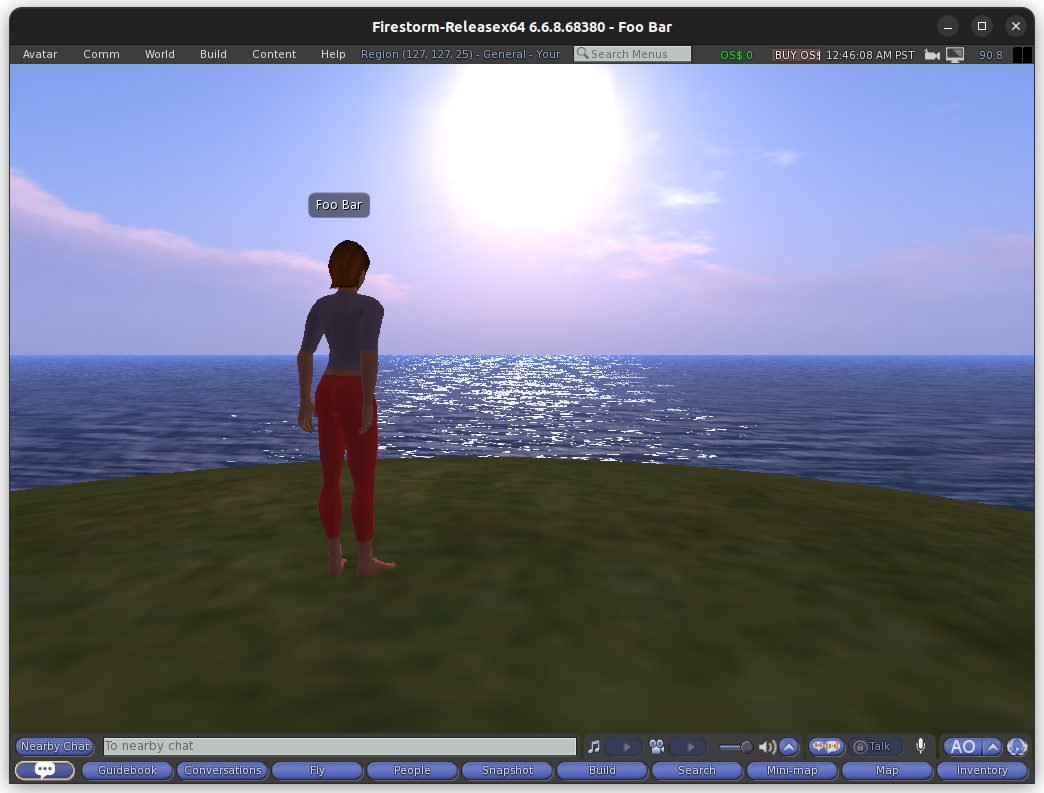
Once the server is running, you should be able to connect to it on `localhost:9000`. In **Firestorm Viewer**, you can go to **Preferences**, then **Opensim**, then under **add new grid** put `localhost:9000` and you can then login.
|
|
|
|
If you don't define otherwise in the environments or a custom configuration, the login username is **Foo bar** and the password is **password**.
|
|
|
|
## Limitations
|
|
|
|
At current, there doesn't appear to be an implemented and/or documented approach to managing the server from _outside_ the active TTY, and running `docker attach opensim` seems to produce a blank prompt. You can `exec` into the container or edit the bound configuration script and restart the server to make changes, but in some server instances you might need to intercept the prompt.
|
|
|
|
Until a better solution is made, you can get crafty with `screen` to get access to the current prompt in terminal, with the caveat that logging will no longer work.
|
|
|
|
You can achieve this with a **Dockerfile** like so:
|
|
|
|
```dockerfile
|
|
FROM soupbowl/opensimulator:edge
|
|
CMD [ "screen", "-S", "OpenSim", "-D", "-m", "mono", "./OpenSim.exe" ]
|
|
```
|
|
|
|
With a container running the above Dockerfile, you can access a controllable OpenSimulator administration prompt by running:
|
|
|
|
```
|
|
docker exec -it <container name> screen -r OpenSim
|
|
```
|
|
|
|
You can leave the screen session by pressing `ctrl + a` then `d`.
|
|
|
|
## Examples
|
|
|
|
See [this repository](https://github.com/soup-bowl/opensim-sandbox) for some example usages of this image.
|
|
|
|
## Source Code
|
|
|
|
The source code of the Docker image is [found on the GitHub repository][src]. You can find the [OpenSimulator server software source code on their website](http://opensimulator.org/wiki/Developer_Documentation#Source_Code_Repository_Access).
|
|
|
|
[src]: https://github.com/soup-bowl/opensimulator-docker
|
|
[os]: http://opensimulator.org/wiki/Main_Page
|
|
[grid]: https://wiki.secondlife.com/wiki/Land#Grid
|
|
[estate]: https://wiki.secondlife.com/wiki/Land#Estate
|
|
[region]: https://wiki.secondlife.com/wiki/Land#Region
|